Processes: Navigating Subprocesses
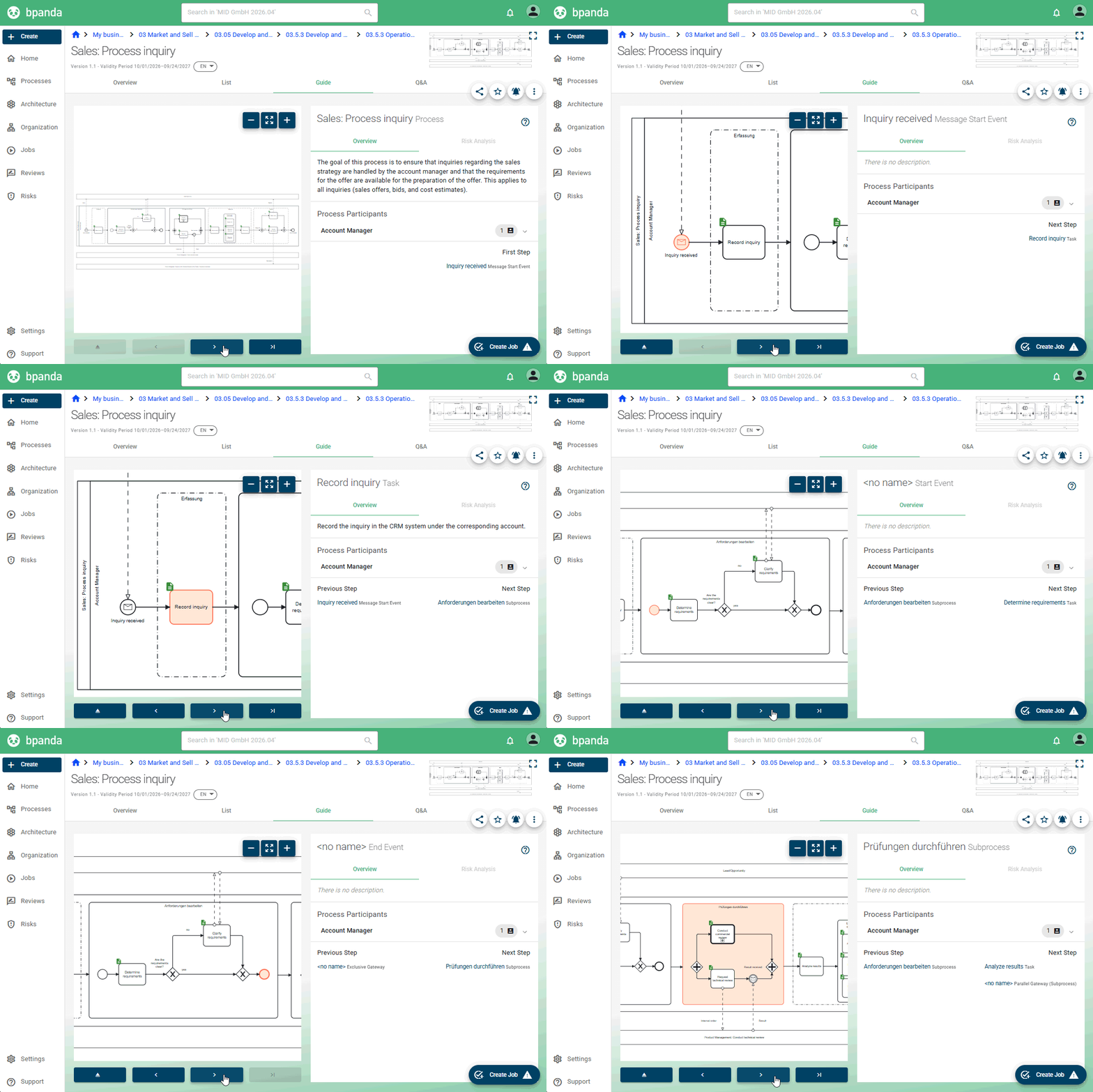
If you are a Process Designer or BPM Manager and have modeled a process containing a subprocess in the Modeler, every user can now navigate through this entire process in Bpanda. In the Overview, List and Guide tabs as well as in the review, you can now click your way through the process including all process steps and details of the subprocess, instead of only seeing the subprocess as a single process step as before.
Architecture: ArchiMate® Export
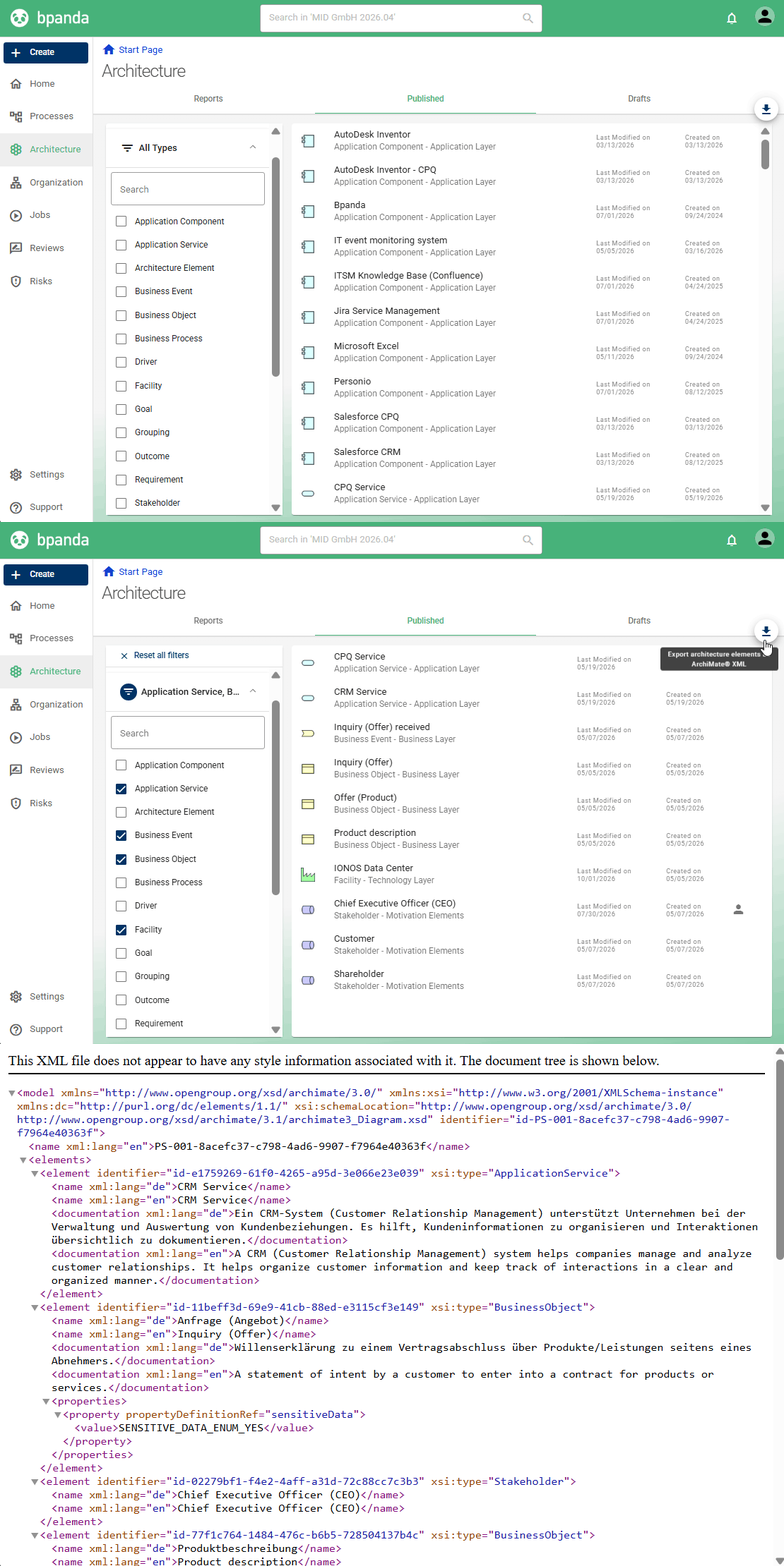
To complement the existing import, you can now also export your architecture from Bpanda. Like the import feature, you’ll find the ArchiMate® export in the “Drafts” and “Published” tabs of the Architecture section. As a BPM Manager or Process Designer you can use the export to generate an ArchiMate® XML file containing your architecture elements and their relationships. The export contains exactly what you have selected using the filters. This allows you to export either your entire architecture landscape or just the specific section you need right now. Exporting allows you to reuse your architecture in other tools, share it for review and coordination, or back up its current status. Together with the import feature, Bpanda remains open in both directions: you transfer existing models, continue working on them in Bpanda, and export them again at any time.
Online Help: New System, New Start Page, Updated Content
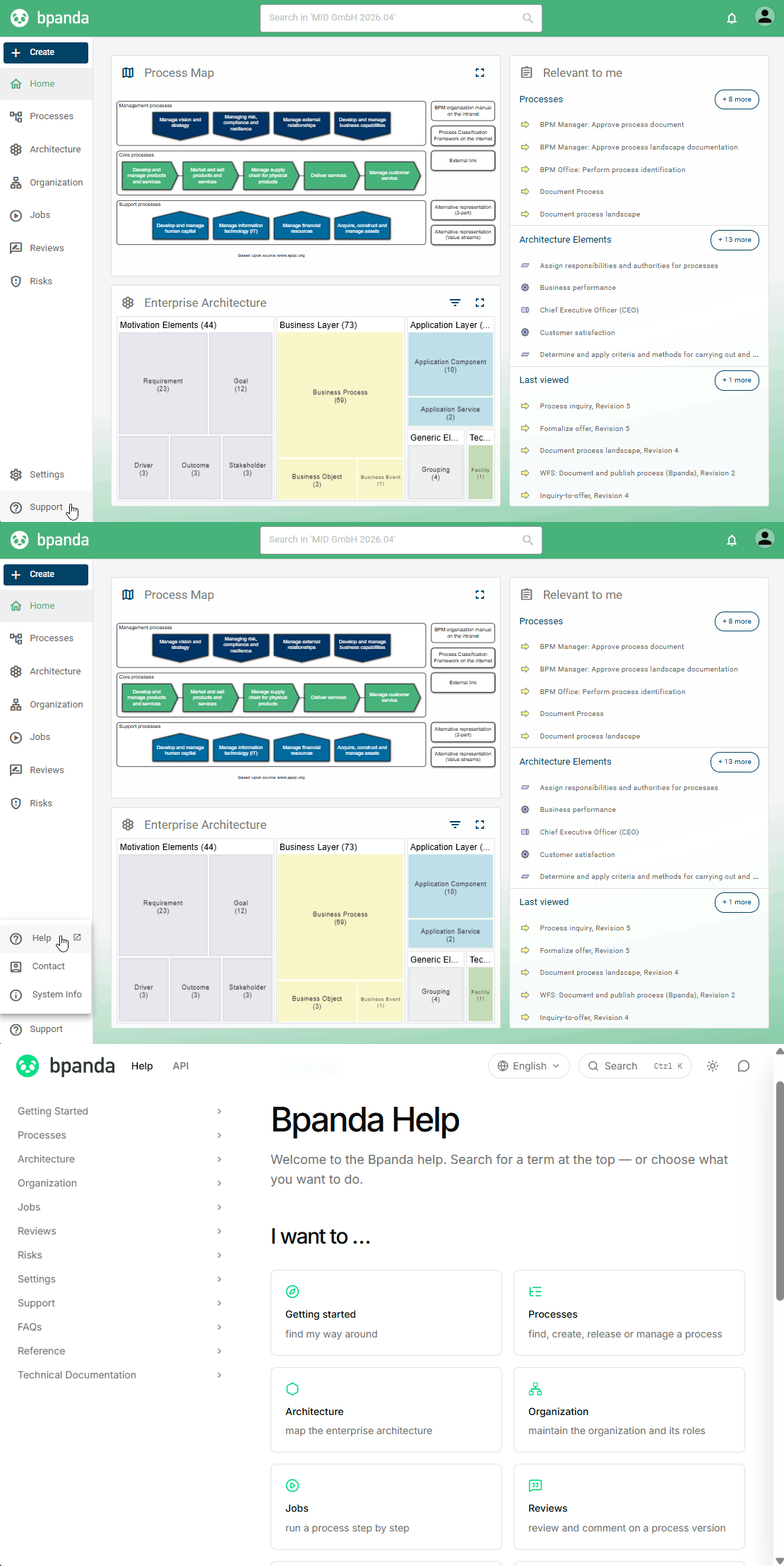
The Bpanda Online Help has moved to a new system. As a result, it looks different and has a new start page that helps you find the right topic faster. Don’t worry: all previous content is still there. We have also updated it throughout and added new articles, such as one about the new Bpanda API. Your bookmarks will still work, as old links are automatically redirected to the new addresses.
Integration: Bpanda API for Exchanging Data with Other Systems
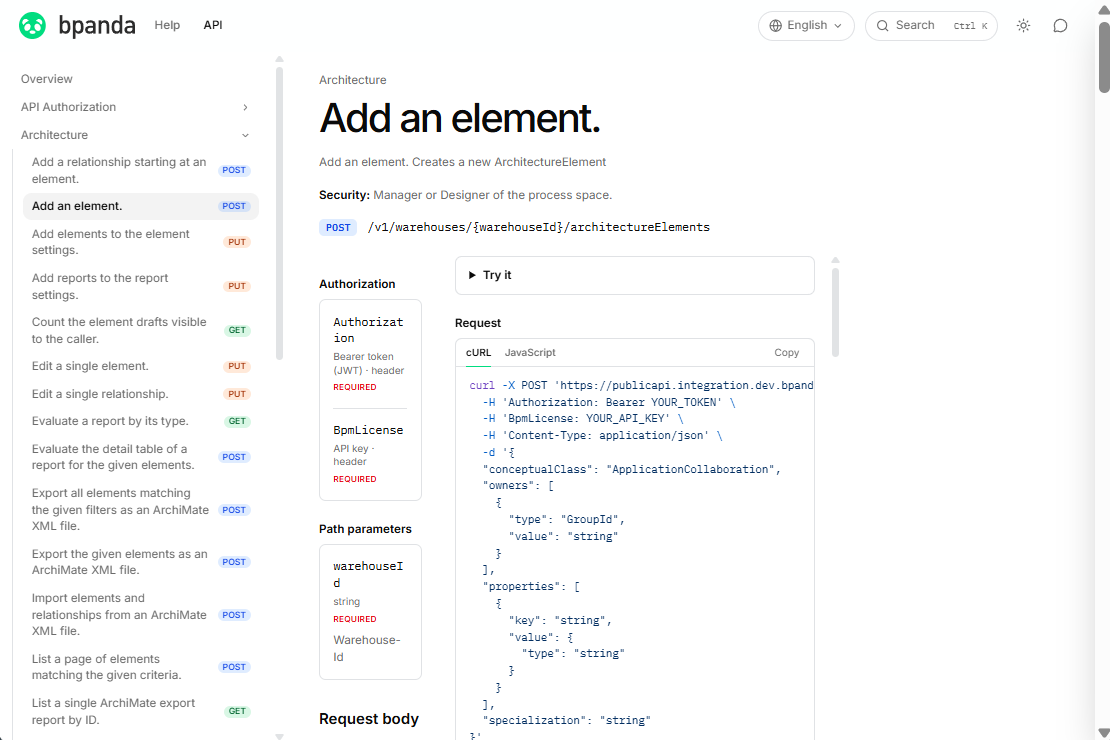
With the new REST API, you can bring information from your other systems into Bpanda and link it to your processes. You can create applications from the CMDB, requirements from the GRC tool or projects from portfolio management as architecture elements, link them to processes and publish them. You can do this individually or for an entire inventory using the ArchiMate® Import. Afterwards, you can see in Bpanda, for example, which applications a process uses or which processes a project changes, and evaluate this in the architecture reports. For read access, the API also provides process information, versions and the diagram as SVG, as well as the organizational structure, users and groups. This lets you embed diagrams in your intranet or identify owners automatically, for example. You cannot use the API to create, change or approve processes.
The API is continuously being developed and may still change. It requires a separate license, which is activated by the Customer Success team. For more information, see Using the Bpanda API.
Bpanda Status: Check Availability at Any Time
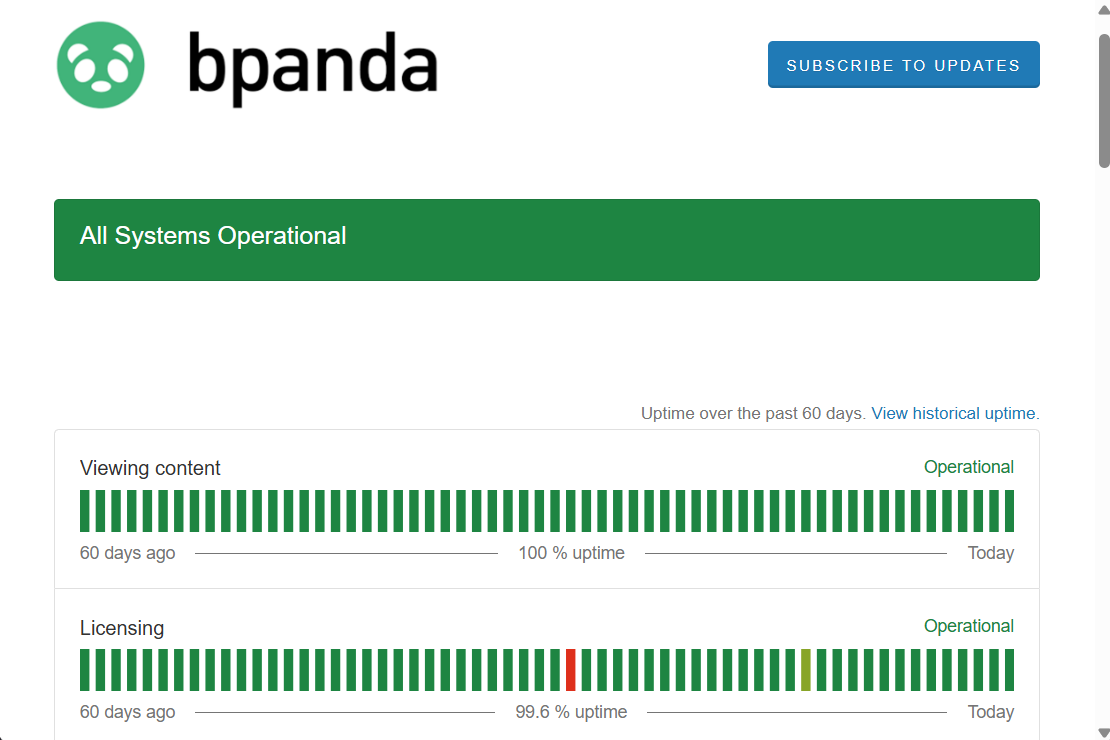
As of our September 30 release, you can see how Bpanda is doing on our status page. It shows for each area whether everything is running: displaying content, licensing, search, and login and user management. In addition, you can see the availability over the last 90 days and all notifications about incidents and planned maintenance. You can also subscribe to updates. We will then inform you automatically as soon as there is an incident or maintenance is planned, without you having to keep an eye on the page.
AI Translation: Now Available Throughout Bpanda
Previously, you could only use AI translation in the Modeler. It is now available in all fields that support multiple languages. This means you no longer have to maintain content manually in each language, but can have it translated right where you are. As before, AI translation uses a function of the Chrome browser. It is therefore only available if you open Bpanda in Chrome. Note: If you have only enabled one content language in your process space, there is nothing to translate. In this case, the function is not offered.
We have also made a few small improvements and fixed a few small bugs which customers found in this release.
Previously, if you invited someone to a process review as a participant, they automatically became a Process Collaborator for that process to ensure that the process was visible to them. We have now decoupled this mechanism. If you only want feedback from someone and add them to the review as a participant, they no longer automatically become a Process Collaborator, but they still get access to the process revision under review as part of the review.
If you cannot start a job for a process, Bpanda now explains the reason more precisely. The messages are clearer and more detailed, so you can adapt the process in a targeted way and make it eligible for job execution after all. In addition, the PDF preview is now also available for jobs, just as you know it from processes.
The filters are now collapsed by default, which makes the view clearer. You can also see in which filter category a filter has been set, and you can reset all filters you have set with a single click.
Previously, Account Managers also had to be BPM Managers for “Manage Account” to appear in the menu. We have now removed this dependency. If you are an Account Manager, the menu item is now always shown.
If you only share your browser window in a Teams meeting, you can now click all elements in the process diagram in Bpanda again. Previously, the process elements in Chrome and Edge did not respond in this situation. This means you can open linked processes directly, regardless of whether you share just the window or your entire screen.
Info: These release notes apply to Bpanda Version 2026.04.