Start Page: New Interface
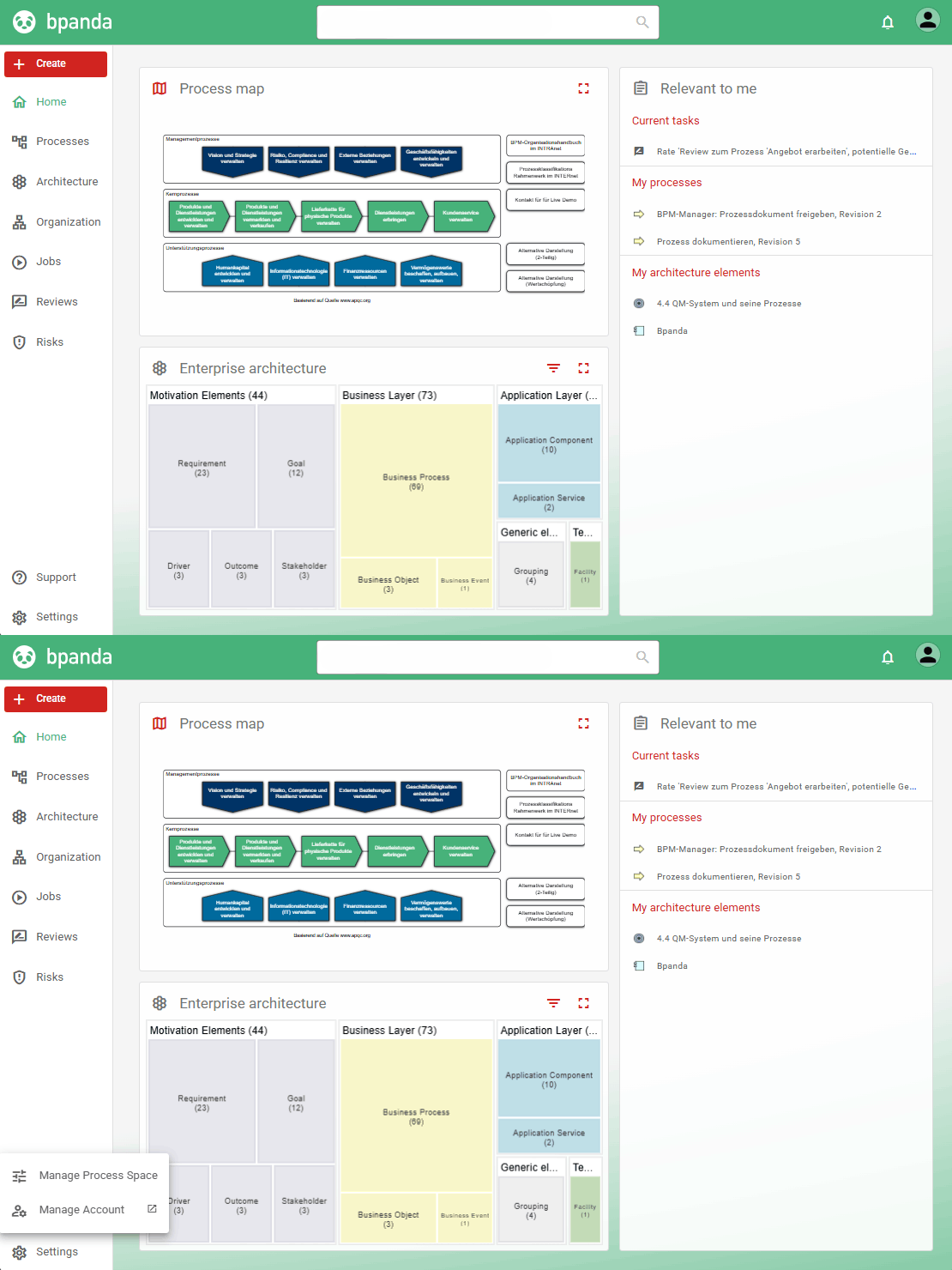
Our new release from August 5 brings with it a new Bpanda start page that is tidier and contains all information relevant to you at a glance.
The menu on the left is now super neat and tidy. You now have a central Create button above the menu bar for creating new content such as process drafts or architecture elements. “Manage Process Space” and “Manage Account” are now at the bottom on the left under Settings.
The user menu can be found top right next to notifications.
You can see your process map in the middle as usual; your enterprise architecture can now be seen below that. You can set whether you only want to see the process map, the enterprise architecture or both one below the other.
You can see all information relevant to you (which used to be shown above the tiles) on the right: content you are involved with or responsible for, your favorites and the content you last viewed. These areas fill the space available perfectly; simply click on the title of the area you want to access and it will take you to the right page.
You can now set the color for headers, as well as primary and secondary colors.
Process Drafts: Storing Process Owners
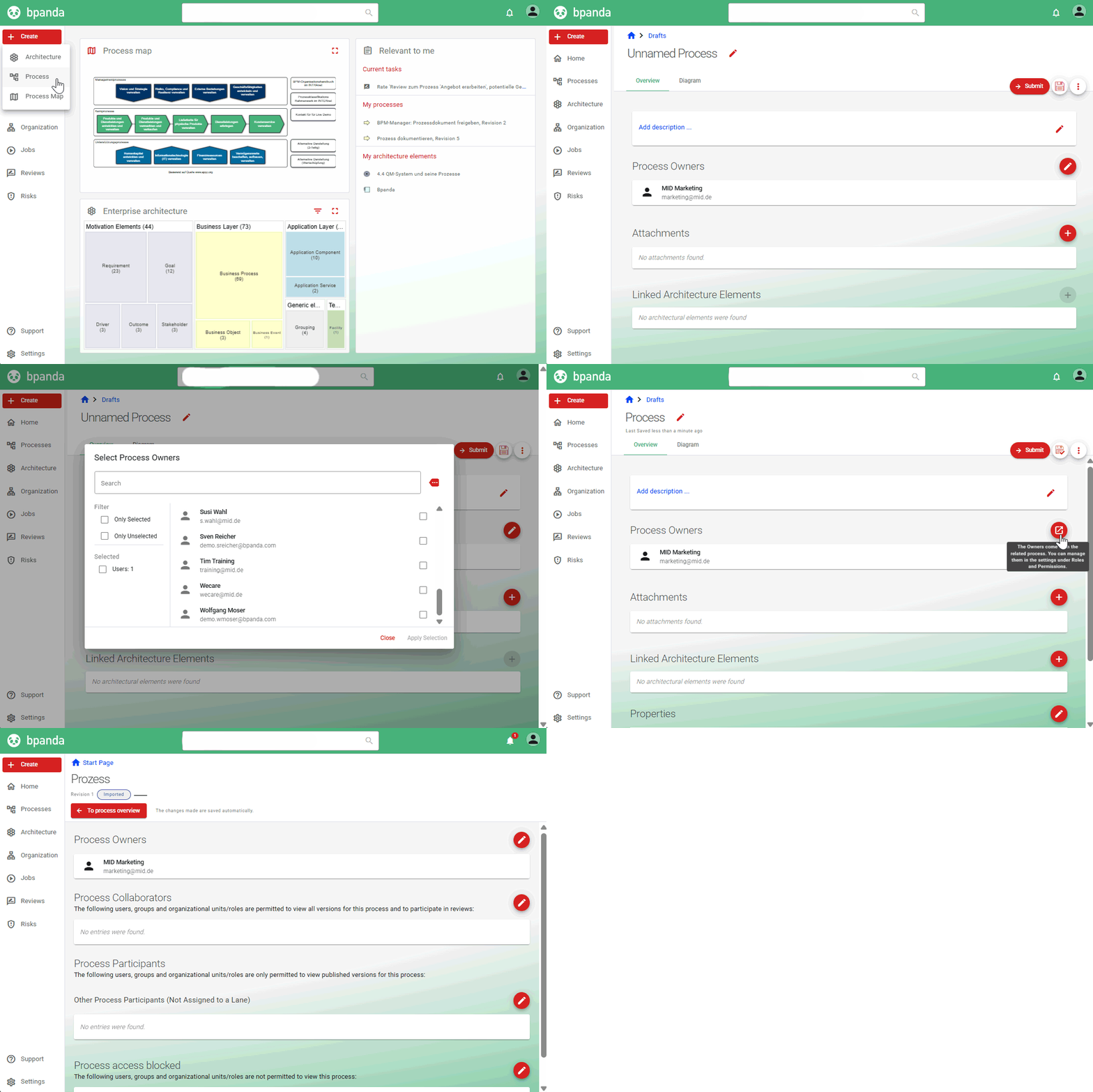
BPM Managers or Designers can now already select and save the Process Owner for a new process in the draft instead of having to wait to do this once they have submitted it. This saves you an extra step and means that Designers in particular can quickly create processes and then ask the Process Owner to add the rest of the information to the process. If you have already published the process and want to change the Process Owner, you can do this on the process’ role page. If you open the process as a draft and want to make the change there, then you can jump directly to the right area from there.
Review: Give Comprehensive and Clear Feedback
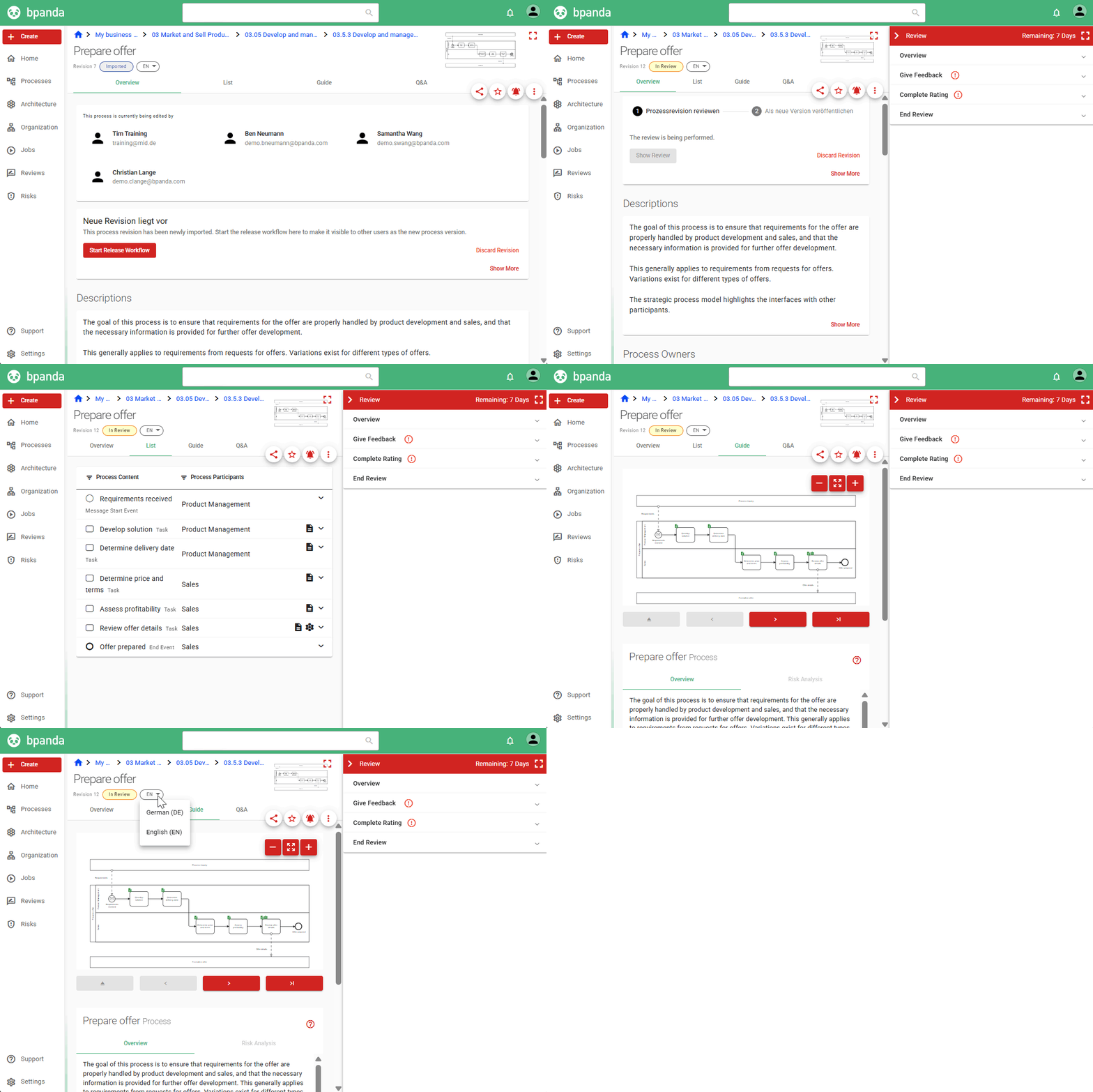
The review function in Bpanda has been redesigned, making the review now both more comprehensive and clearer. You create a review as you normally would, but the review no longer opens in a new window; it now opens in a tab next to the process overview and contains four sections. You can now decide whether you’d rather give your feedback about the process and process steps using the list or via the guide. You can now also review the complete process overview and comment that e.g. an attachment is missing or a process property has been wrongly set etc. This means you no longer only add feedback about the process diagram; you can add feedback about the entire process and how it should be published. You can also switch between available language versions when reviewing and also on the process page in general. The switch is below the process name. Once you’re ready, then add your rating as you normally would and close the review.
Search: Architecture Elements & Data Objects
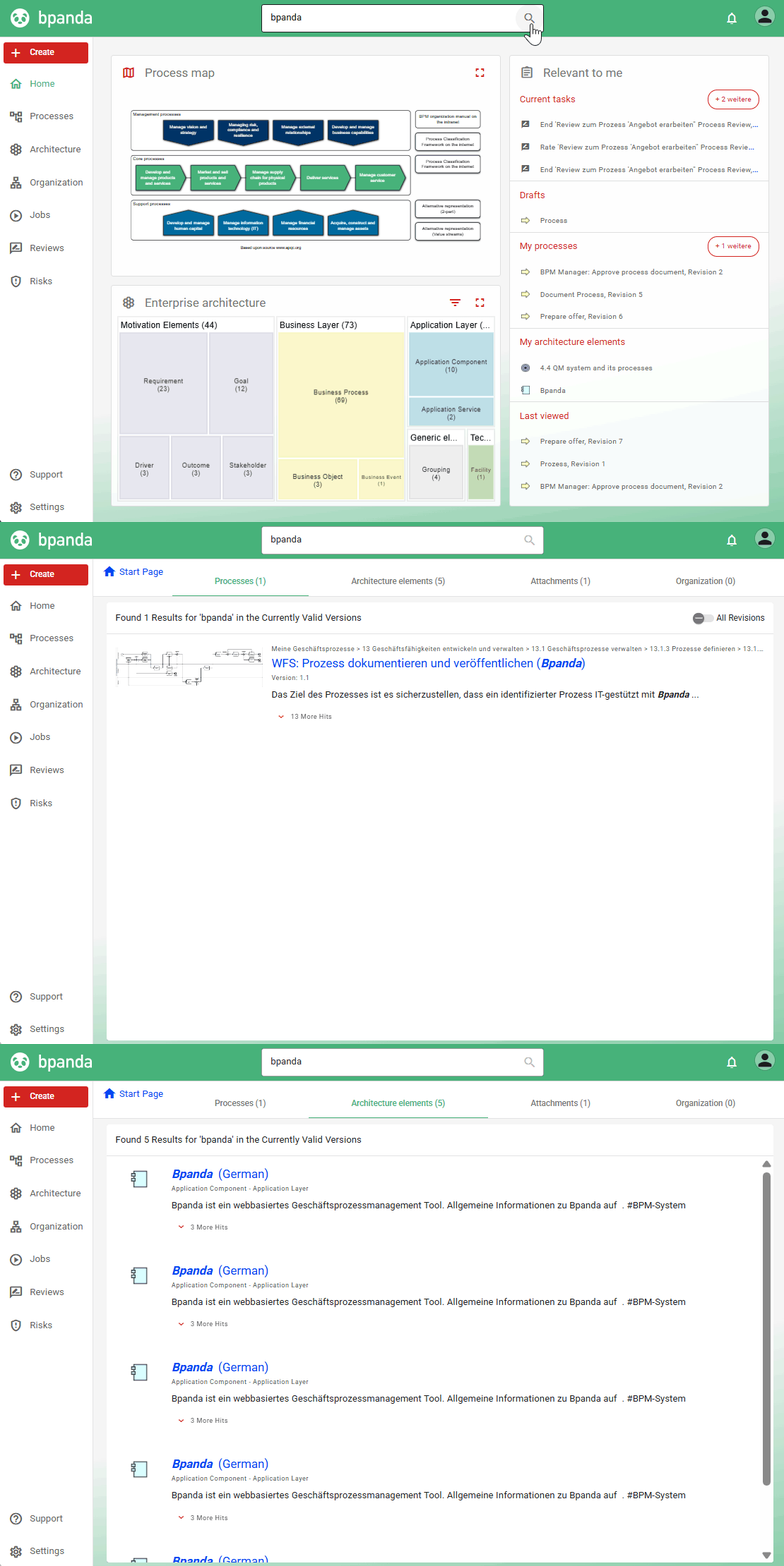
The search in Bpanda has also been improved in this release. The search is now significantly smoother and quicker. You can now also search your process space for architecture elements and data objects. The data objects are found based on the processes they are linked to and listed in the “Processes” tab. Architecture elements found in the search are listed in their own new “Architecture Elements” tab.
Architecture: Publishing Elements & New Reports
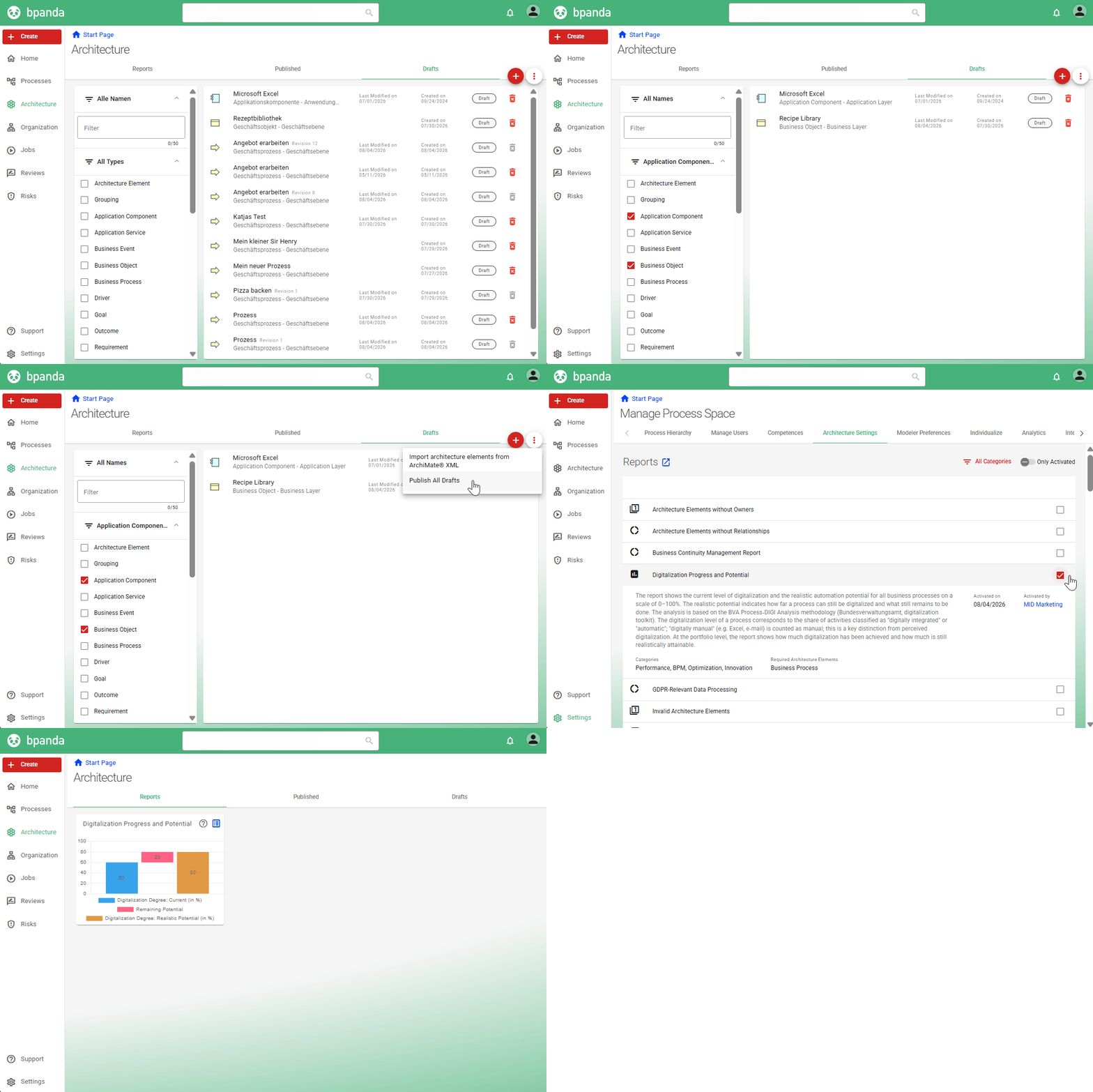
You can now publish multiple architecture elements at the same time. Use the filter to the left in Drafts and then click on “Publish All Elements” in the three point menu. This does not apply to processes; these always need to go through the release process. You can definitely save your time doing this for all other elements. Another report also exists for your architecture dashboard: “Digitalization Progress and Potential”. This report shows you the current level of digitalization and the potential realistic level of automation. This report compliments the existing 16 reports. BPM Managers can activate these reports under “Manage Process Space” in “Architecture Settings”.
Subscriptions: Deleting Subscriptions You No Longer Require
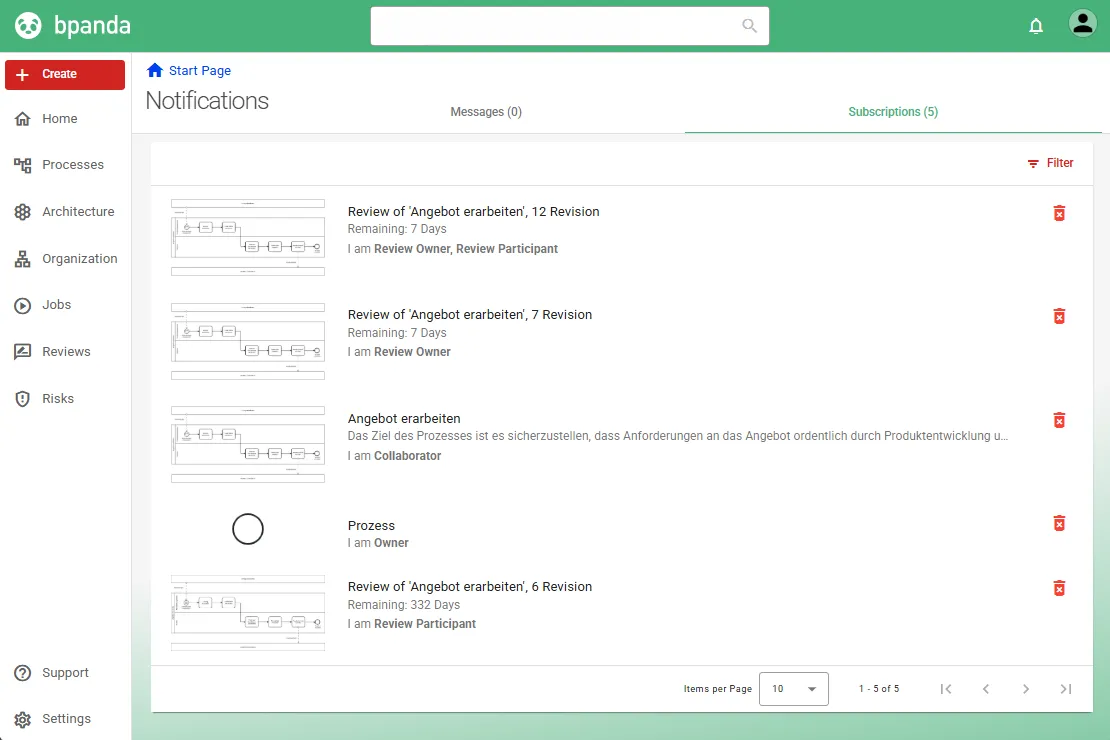
Both Bpanda users and BPM Managers had a lot of subscriptions in Bpanda as many were set automatically. We have significantly improved how subscriptions are handled with this release. Subscriptions you automatically received but you no longer require because e.g. the review is already finished, are now automatically removed. This means you now only have subscriptions in Bpanda to things you really need and actually want.
We have also made a few small improvements and fixed a few small bugs which customers found in this release.
We have also improved our Jobs feature. You won’t be able to notice it as such to look at. We have improved performance and responsiveness, e.g. running through a process as a live instance is now smoother due to faster loading times; you can also complete process steps on your mobile phone.
The limit for imported ArchiMate® files used to be 8 MB. We have increased the limit to 15 MB.
The “Composition” and “Aggregation” ArchiMate® relationships are now displayed as ArchiMate®-compliant in Bpanda.
Info: These release notes apply to Bpanda Version 2026.03.