

All Bpanda Features
at a glance
From documenting your first process to managing your organization strategically.
Discover the features that support you along the way.
Process Management
From the Process Map to the BPMN model: everyone in the company finds the right way in.
Process Maps with built-in editor
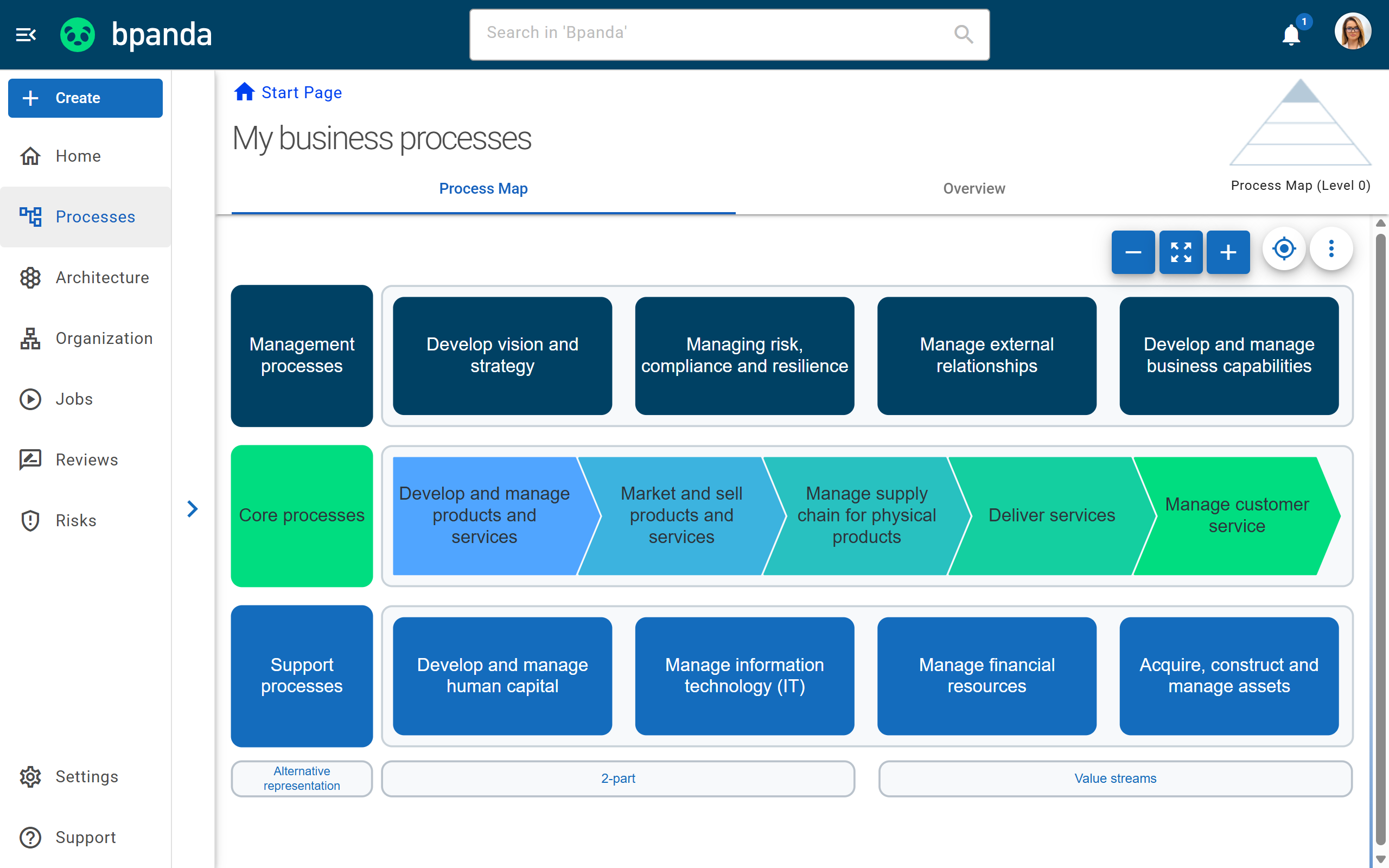
The Process Map is the visual entry point to your company’s entire process landscape.
You create a structured, central picture of all your processes and make it available to everyone. Areas and levels are clickable, so everyone finds their way around intuitively. In the Process Map editor, you freely adapt the map to your organization, because your map should be as unique as the way your company is structured.
Starter
Text-based process documentation
Not everyone in your company is a BPMN expert, and that is perfectly fine.
With the text-based process description, you capture workflows as plain text. It is the simplest form of documentation and ideal for beginners. In the Happy Path editor, you enter the steps in the right order or copy them straight from an Excel spreadsheet. Bpanda automatically turns them into a BPMN-compliant process without you having to place a single element. You can add more detail in the Modeler at any time.
Starter
BPMN-compliant process modeling in the Modeler
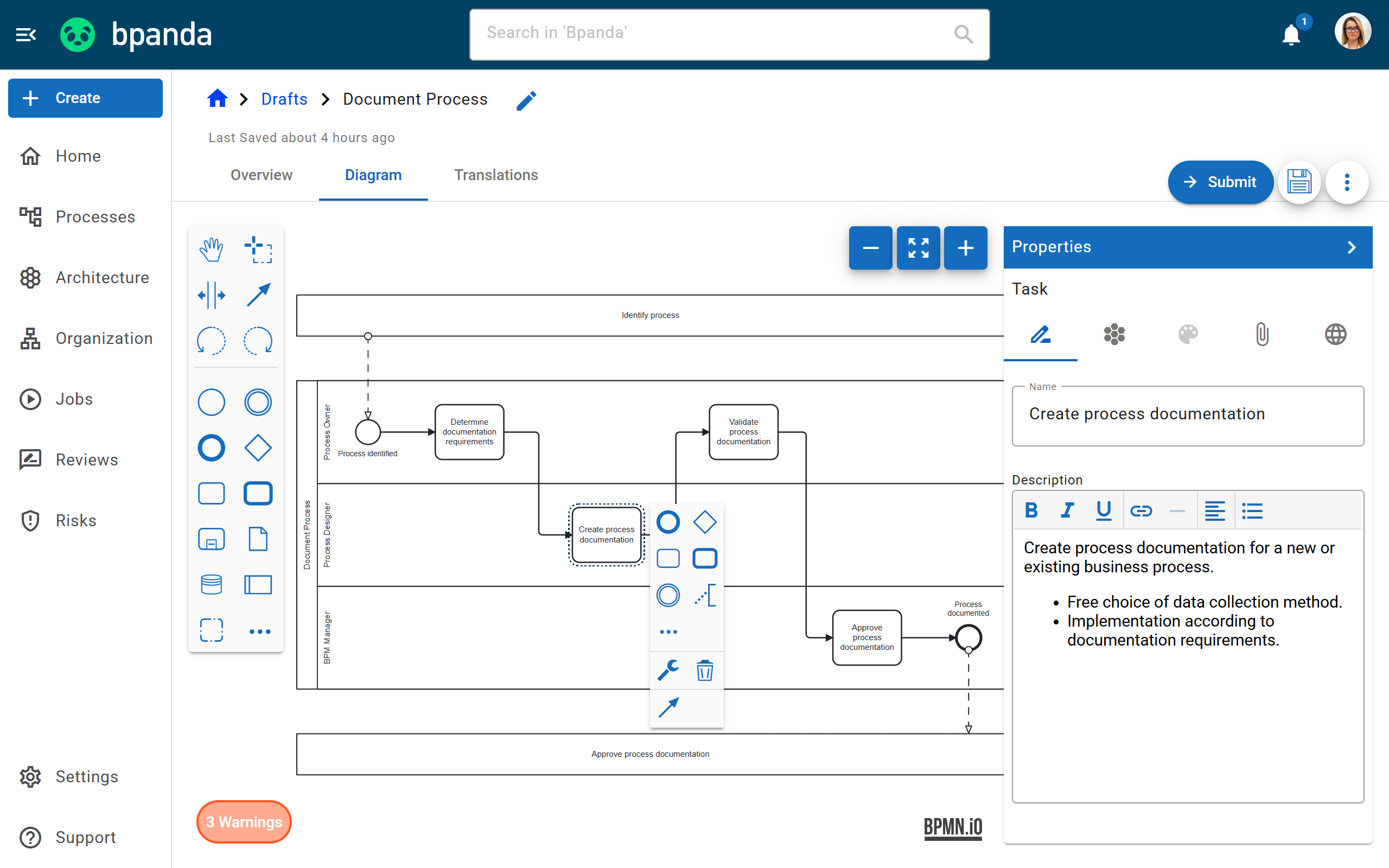
As a modeling expert, you create even complex processes in the integrated Modeler and can draw on the full set of BPMN notation elements.
Events, conditions and decisions are all at your disposal, so you can easily map alternative steps as well. Call activities let you link processes to subprocesses, and clickable paths let you navigate between them. That way, even complex, nested workflows remain easy to follow.
Starter
Process Overview
The process overview is the first thing you see when you open a process. It brings together the key information in a clear layout.
Alongside the description, you see the properties, all attachments, process owners and participants. Linked processes and architecture elements show what the process is connected to, and the version history makes every change traceable. That way, it is immediately clear who is involved, who is responsible for what and what was changed last.
Starter
Manage Processes
The “Manage Processes” dashboard is your central workspace as a BPM manager. Instead of handling each process individually, you run actions on many processes at once.
You adjust validity periods, create Reviews for multiple revisions, publish risk assessments, show and hide processes, assign contributors and participants, and export process data. Filters by hierarchy, name and owner keep even large process spaces clear.
Starter
Guide
Walks process users through the diagram step by step and explains each step in plain text. Users can even work through decisions, no BPMN knowledge needed.
Starter
BPMN 2.0 Validation
Bpanda checks your models for compliance and flags deviations while you model. For each rule, you decide whether it appears as a warning or an error.
Starter
Custom BPMN Guidelines
You decide which elements are available for process modeling in your process space and which rules apply to your processes.
Starter
Audit-ready
Version History
All changes are stored in an audit-ready way, including a complete version history for each process.
Starter
Templates for Process Maps & Processes
Save drafts of Process Maps and processes as templates so you can reuse proven structures again and again.
Starter
Reminders for expiring processes
When a process version is about to expire, Bpanda creates a task so the owners can review it in time.
Starter
Collaboration & Knowledge
Processes are not created at a single person’s desk. In Bpanda, everyone contributes their knowledge.
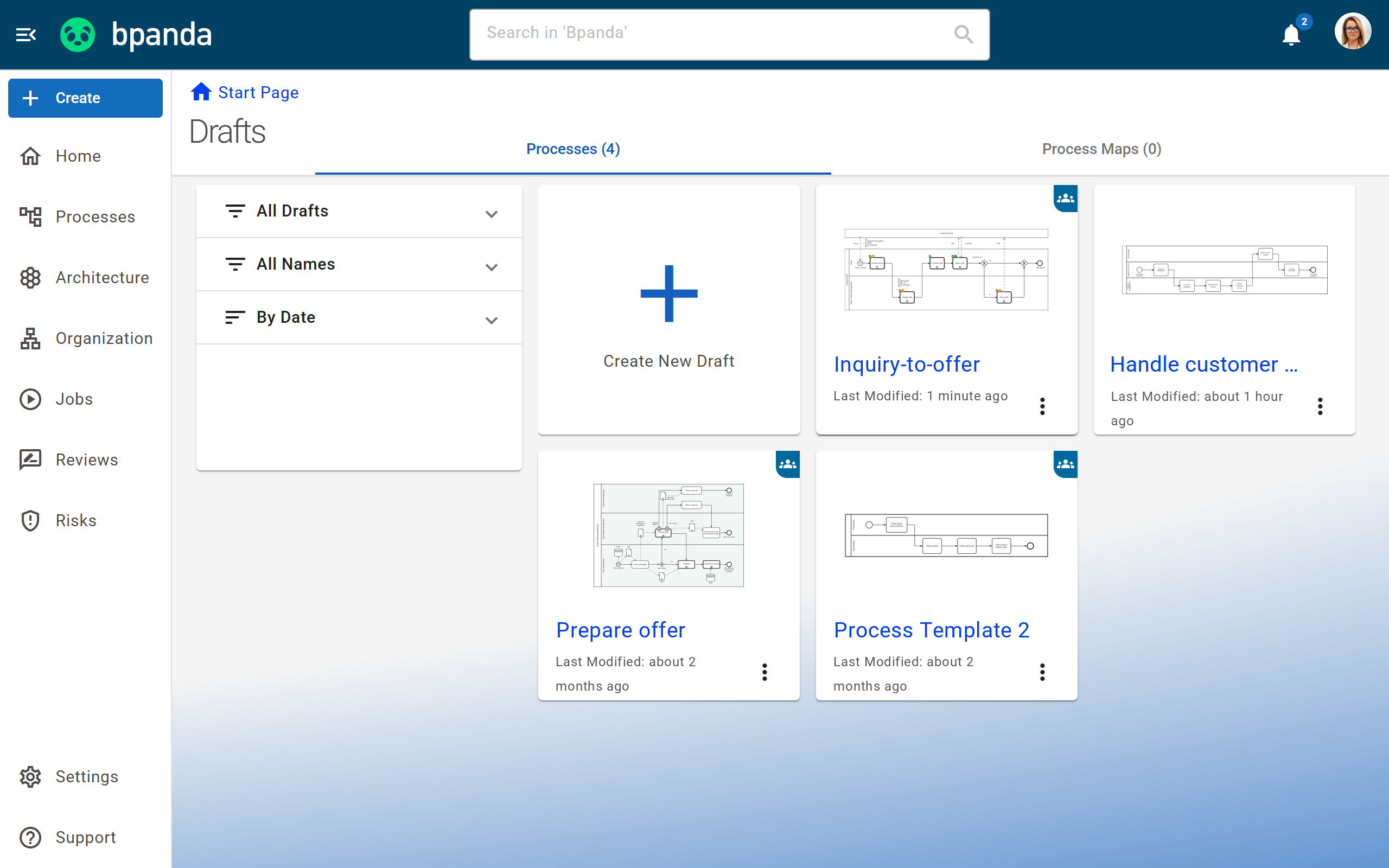
Shared Drafts for Processes & Process Maps
Invite other BPM managers and process designers to work on a draft together, in the Happy Path editor, the Modeler or the Process Map editor.
You choose the participants as soon as you create the draft, and everyone receives a notification. The overview shows at any time who is currently working on what, and you can filter by your own and shared drafts. Autosave makes sure no change gets lost.
Starter
Approval Workflow & Review
Before a process is published, it goes through an approval workflow that you can flexibly adapt to your needs. That way, published processes meet your quality requirements, which is essential when regulations apply.
The Review is an integral part: as the process owner, you choose the participants and gather targeted feedback from key subject matter experts. They examine the process, comment, discuss and finally recommend whether to approve it.
Starter
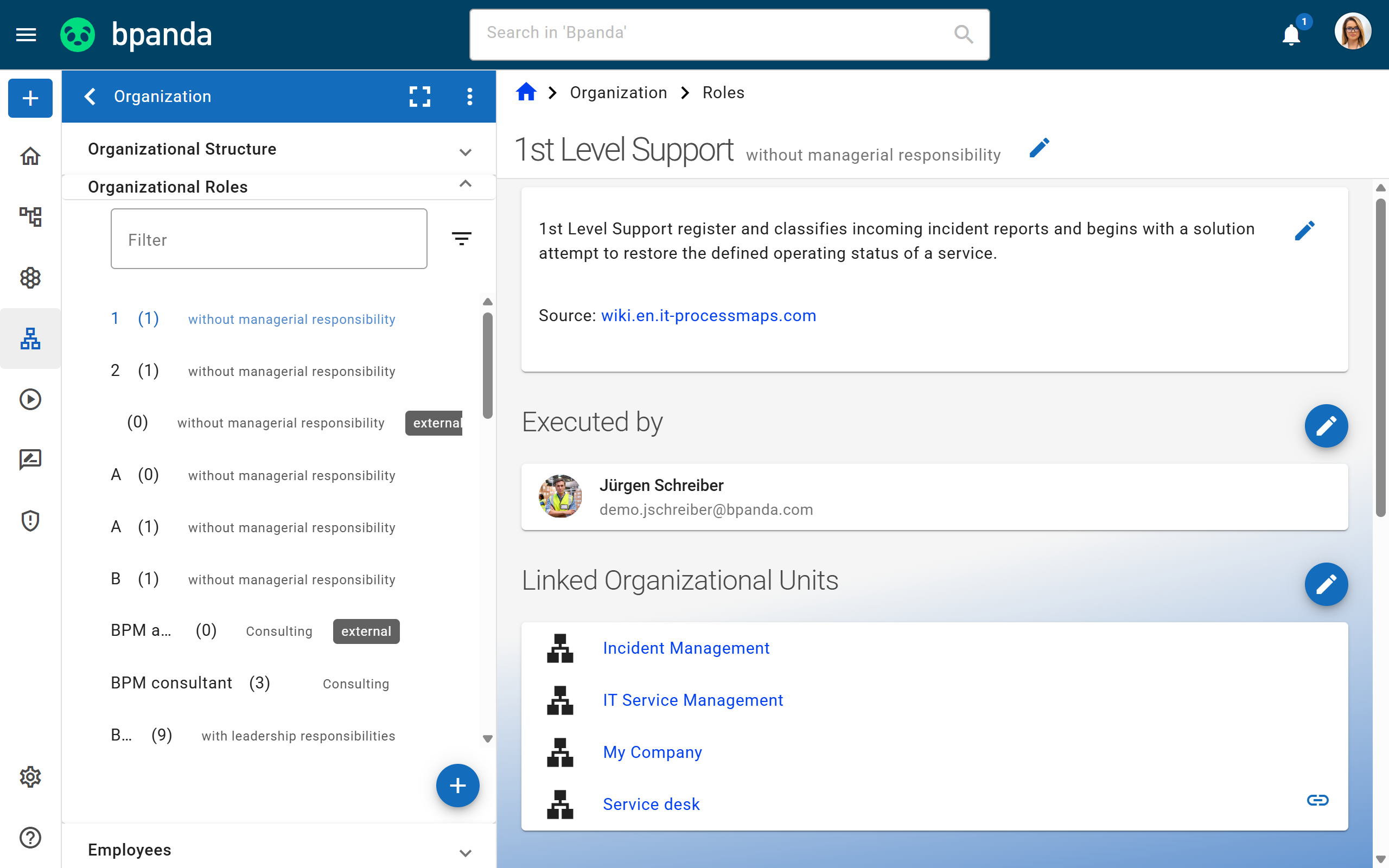
Organizational Structure with Units & Roles
In the Organization area, you map your company in Bpanda, from departments down to individual roles.
Organizational units, roles and employees are clearly arranged in a tree structure. On each process, you assign a person, a role or an organizational unit. For roles and units, you change the assignment once in the organization, and all linked processes are instantly up to date.
Starter
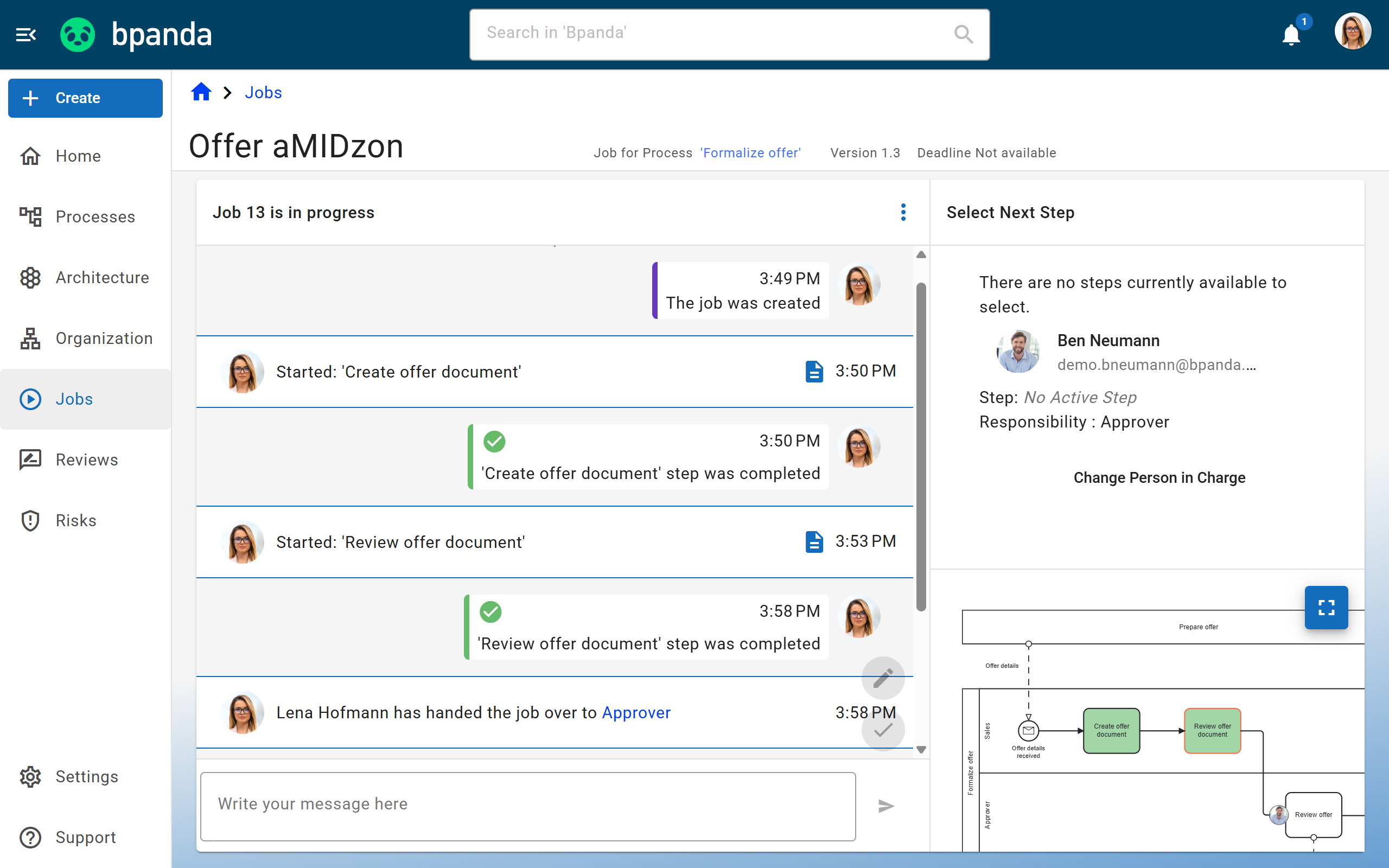
Jobs for Human Workflows
A Job is an instance of a process that everyone involved actively runs through in real time. Ideal for putting process management into practice.
You start an approved process as a Job. From then on, everyone can see who is responsible and where the process currently stands. Bpanda automatically notifies owners of their tasks. The Activity Stream logs who did what and when, much like a chat, and all questions stay in one place. Every run is stored in an audit-ready way.
Professional
Process suggestions
Anyone in the company can submit ideas for new processes. The BPM manager evaluates each suggestion in Bpanda.
Starter
Q&A on processes
Ask questions directly on the process. The answers stay visible to everyone and take the load off the people responsible.
Starter
Share processes
Share a process with your colleagues in Bpanda via a simple link, so everyone lands exactly where they need to be.
Starter
Tasks
Reviews, approvals and open Jobs come together in your personal task dashboard, so nothing important slips through the cracks.
Starter
Multilingual content
Maintain your process content in several languages so everyone can read it in their own. The Bpanda interface is multilingual, too.
Professional
AI-powered translation
Maintain your process content in several languages so everyone can read it in their own. The Bpanda interface is multilingual, too.
Professional
Risk & Quality Management
Capture risks and opportunities exactly where they arise in the process.
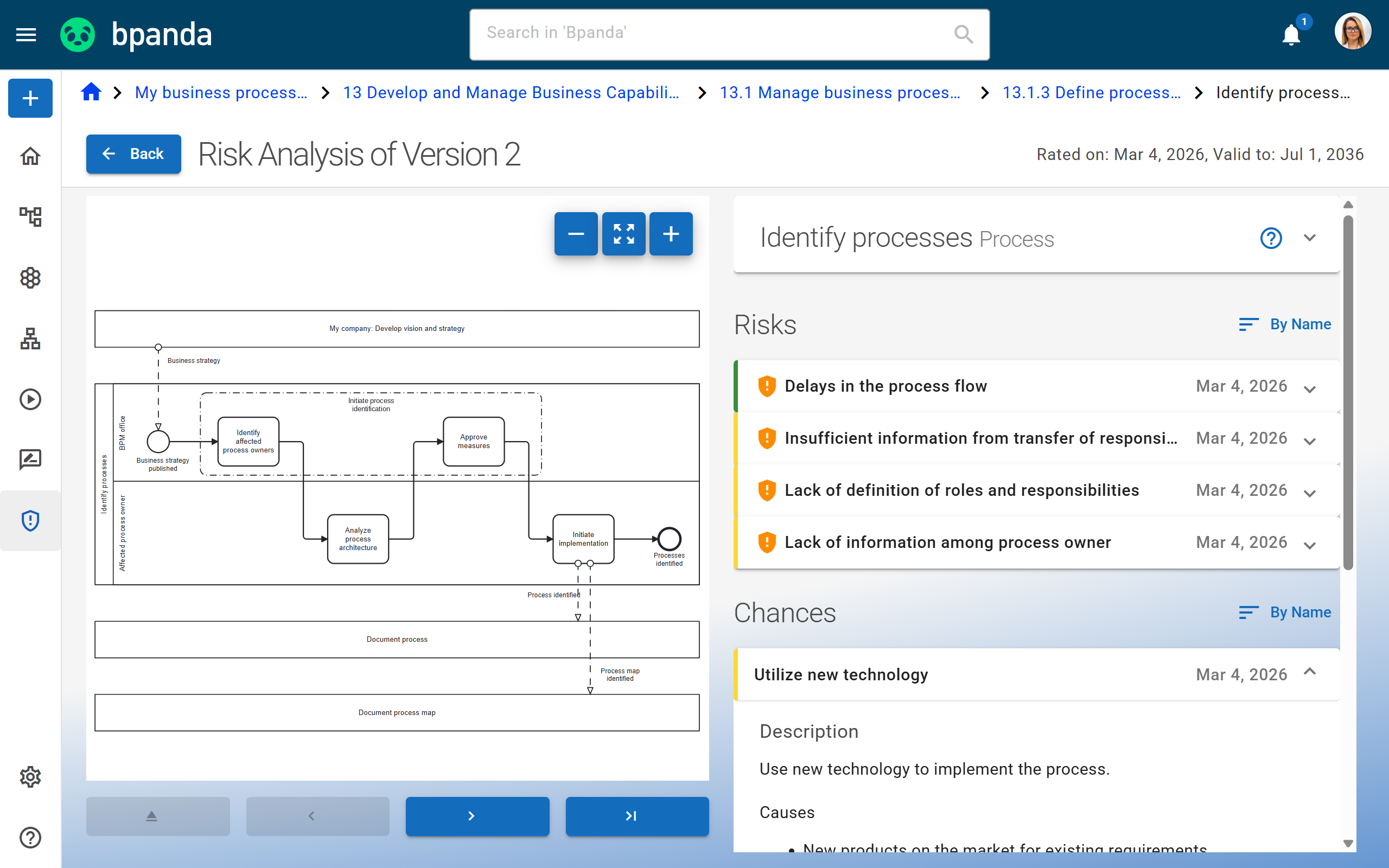
Risk & Opportunity Analyses
Record risks and opportunities exactly where they are relevant in the process and make sure all process users are aware of them.
As you record them, you assess the potential impact, likelihood and extent of damage or benefit. That way, everyone involved can handle risks according to their priority.
Professional
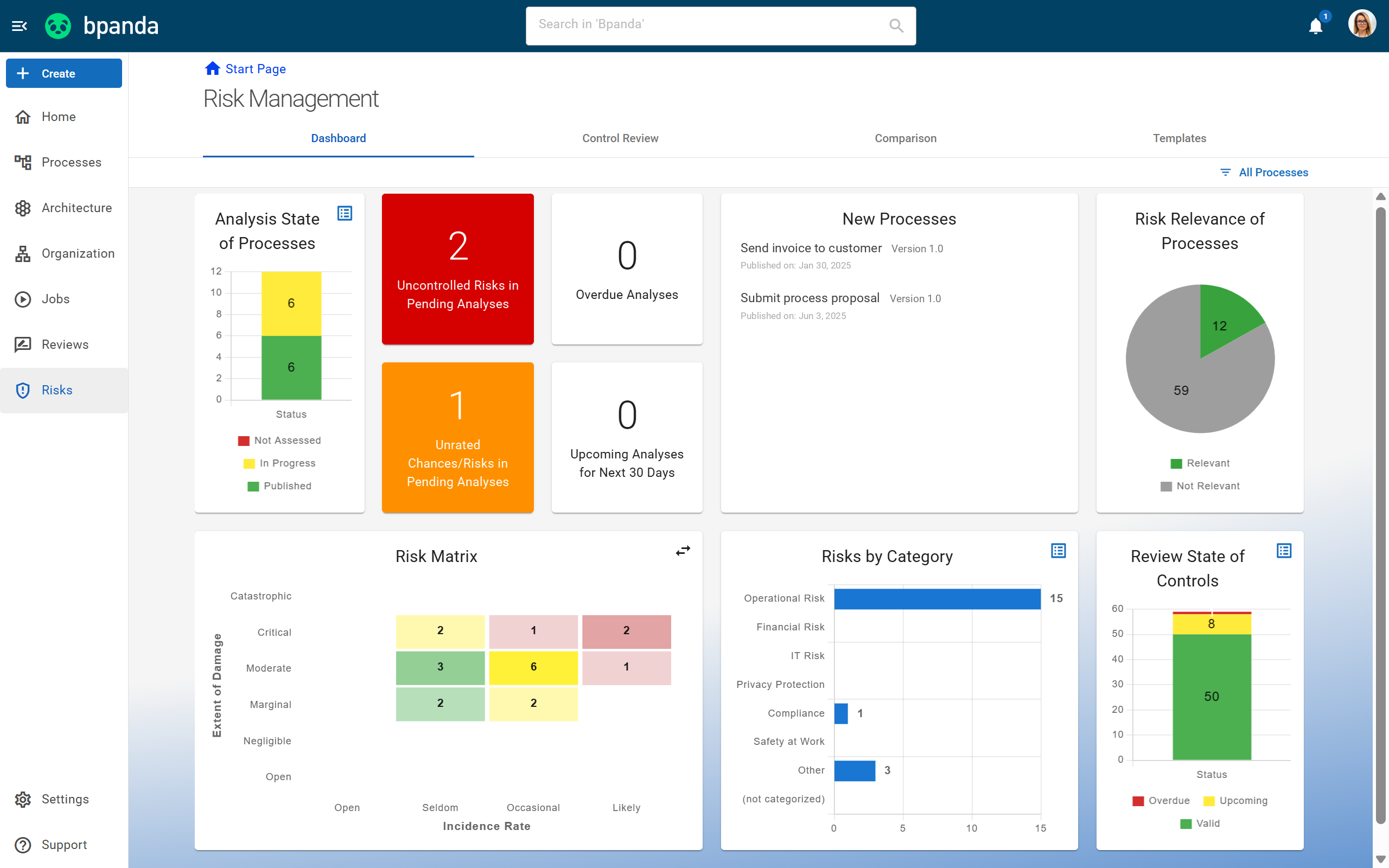
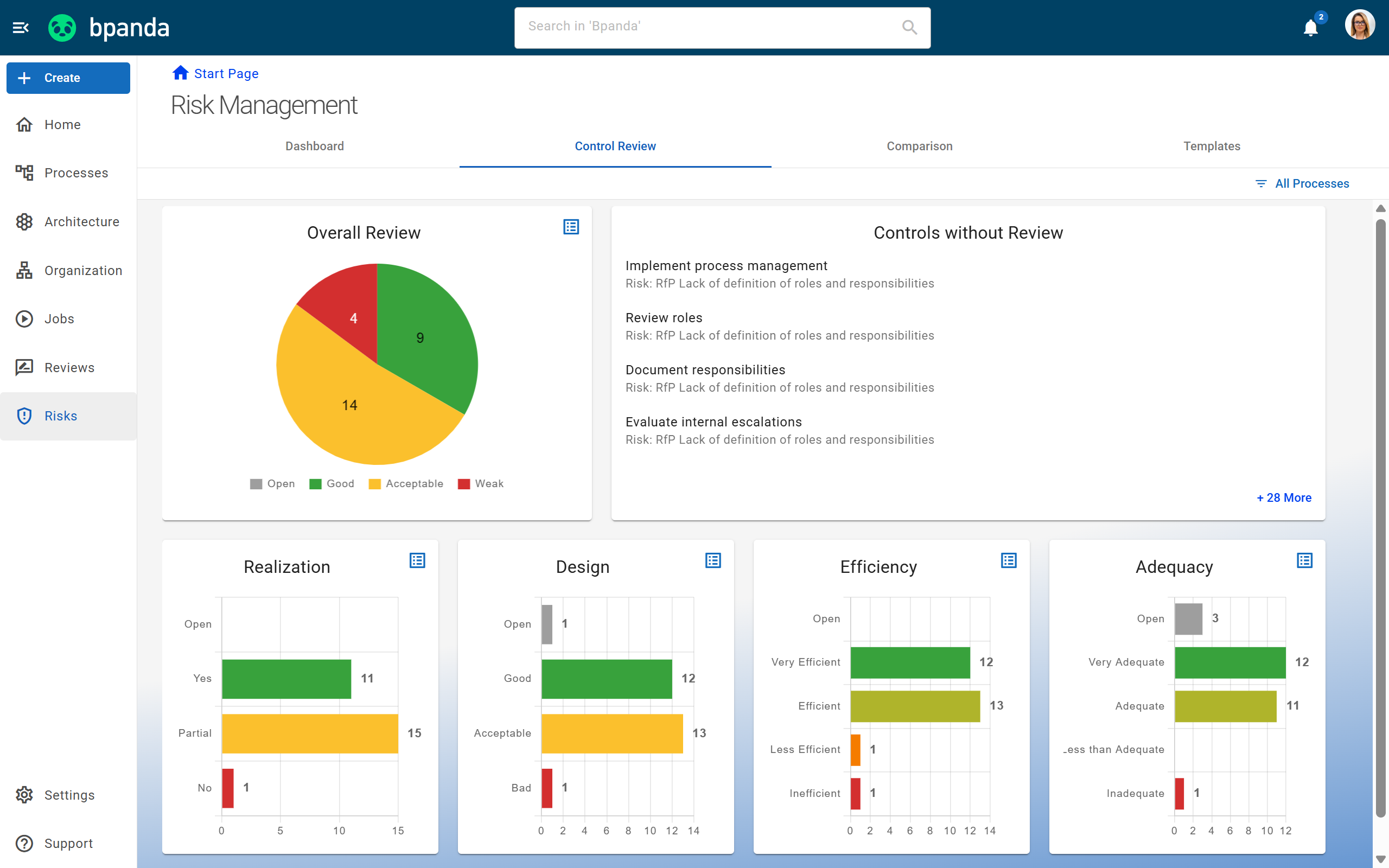
Risk Management Dashboard
All your risk assessment reports in one place. The dashboard flags overdue assessments and shows what is coming up in the next 30 days.
The risk matrix ranks your risks by likelihood and severity, so you can see right away what takes priority. Every report lets you click all the way through to individual process elements.
Professional
Quality Management for ISO 9001
Meet regulatory requirements in a structured way and prepare for audits and ISO certifications with a clear plan.
Documented, approved and audit-ready processes provide the evidence you need in an audit. With the ArchiMate® motivation elements, you also link quality objectives, requirements and interested parties to the processes they affect. That way, you show not only that a process is documented, but also what it contributes to.
Professional
Risk Controls
Define the frequency, type and mechanism of each control and assess how effective your controls are.
Professional
Compare risk assessments
New assessments take over the data from the previous one, and control ratings can be compared side by side.
Professional
Risk management templates
In Bpanda, reusable templates for recurring risks and controls save you a great deal of time and effort.
Professional
Enterprise Architecture & Strategy
Connect your processes to the applications and structures behind them and manage your organization holistically.
Architecture Dashboard
Your central entry point for keeping track of reports and all published architecture elements in your process space.
What was previously visible only on individual processes now comes together in one place: which applications, systems and other elements are published and how they connect to your processes. Bpanda provides various reports that help you spot dependencies, gaps and the need for action in your architecture. Filters let you tailor the dashboard to your needs. Share important reports with other users so everyone is on the same page.
Professional
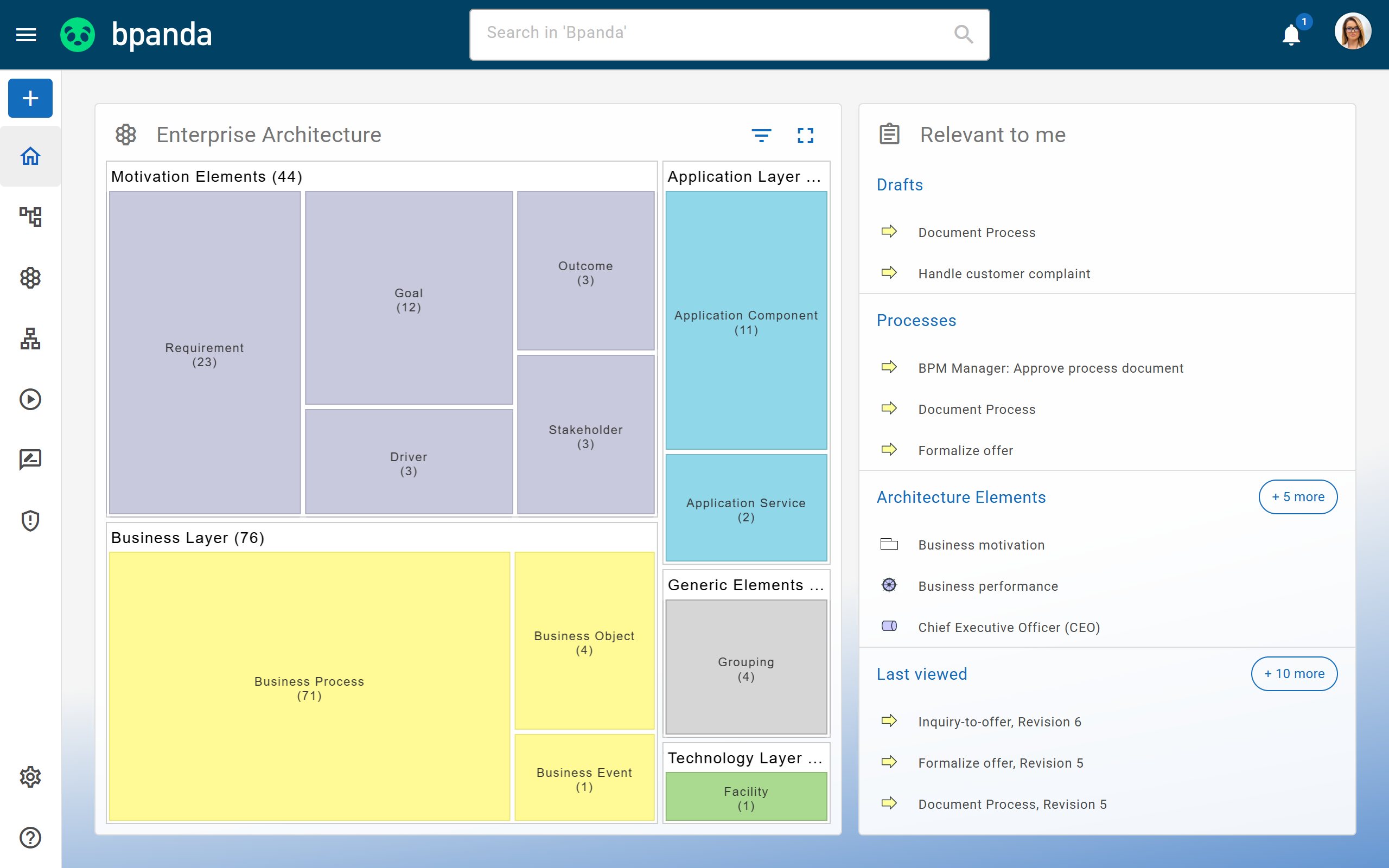
ArchiMate®-compliant Enterprise Architecture Management
Design your enterprise architecture based on the official ArchiMate® standard.
Bpanda fully supports ArchiMate®, with all layers and element types. You decide which elements to activate in your process space. Because architecture and processes live in the same tool, you see which application supports which process and what replacing it would affect. New elements start as drafts, are assigned to owners and are only published after review.
Enterprise
Strategy Management & Advance Reports
Connect your business goals to the processes and structures that support them.
Advanced reports show you where your organization stands and where action is needed, for example with scoring by digitalization and AI potential or process maturity. This turns process documentation into real corporate management.
Enterprise
Architecture Elements on Processes
Business Process, Business Event, Business Object, Application Component, Grouping, Location and the generic architecture element are available from the start, without the dashboard.
Starter
Motivation Elements & Process Reports
In addition to the elements included in Starter, you also get the ArchiMate® motivation elements and all process-related reports, covering everything from GDPR to digitalization progress.
Professional
ArchiMate® Import &
Export
Import your existing models quickly and easily as ArchiMate® XML. When exporting, you use filters to decide whether to take your entire architecture with you or just a specific section.
Enterprise
Core Features
Everything that makes working with Bpanda easier every day. Included in every plan.
Personal Home Page
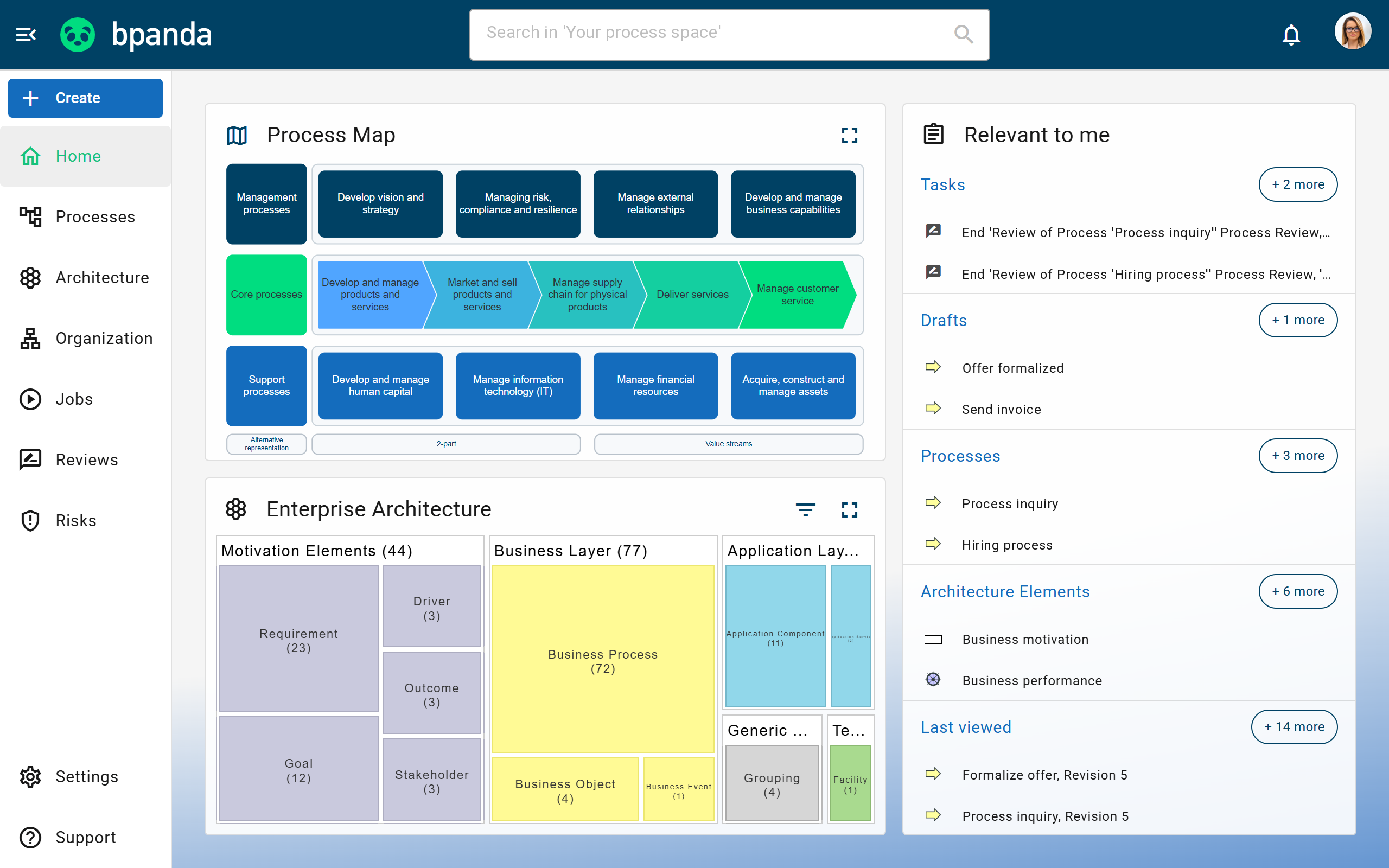
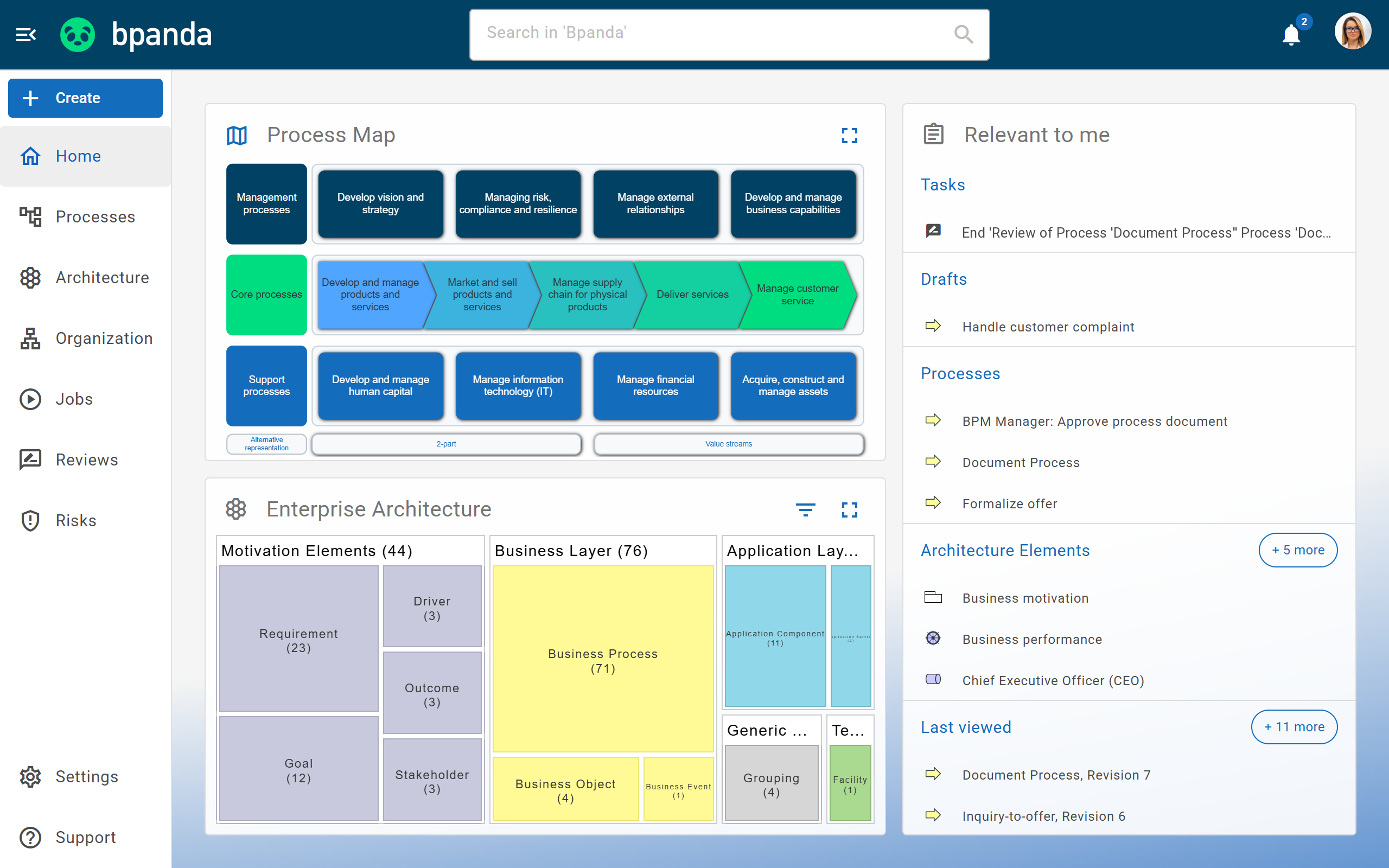
In “Relevant to me”, you only see what concerns you: processes and architecture elements you are responsible for, your open tasks, your drafts and recently viewed content.
Process Attachments
Attach documents, links and videos from Microsoft Stream or SharePoint directly to the process. You can preview PDFs without downloading them.
Import, Export & Print
Import and export processes in BPMN format, work with process data as CSV and print versions with Reviews and Risk Analyses or save them as PDF.
Search, Filters & Favorites
Search your process space with suggestions as you type, narrow down the results with filters and mark important content as favorites.
Corporate Design Customization
Upload your company logo and style the interface in your own corporate design.
Notifications
Whenever a process you are subscribed to changes or a new task is waiting for you, Bpanda notifies you in the app and by email.
Central User Management
As an account manager, you assign licenses and decide who can model. With groups from your directory service, this happens automatically.
Accessibility
Bpanda offers a high-contrast theme, contrast-optimized labels and flawless usability even when zoomed in to 400 percent.
Mobile access & responsive design
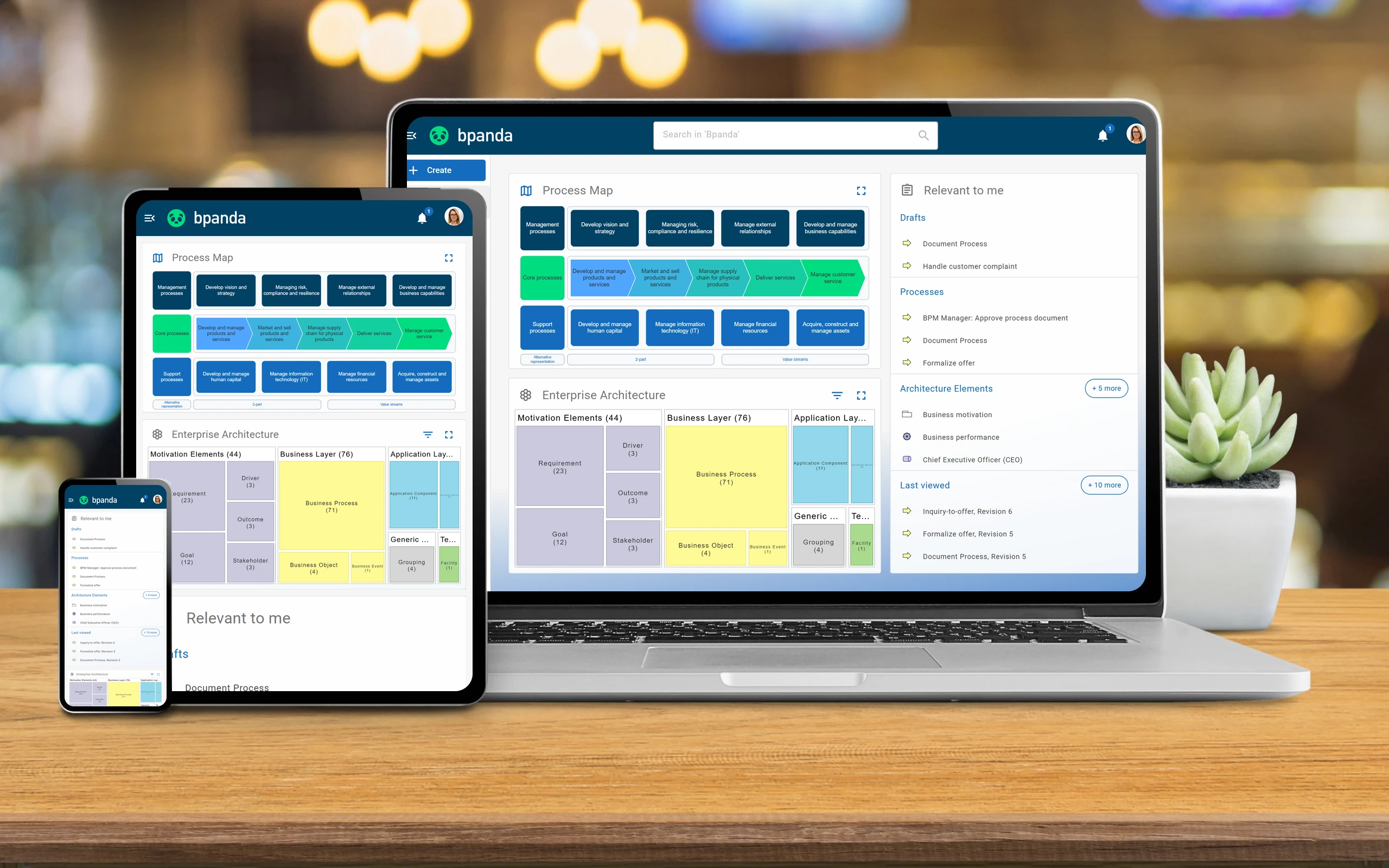
Bpanda runs in your browser as well as on tablets and smartphones.
AI Features on our roadmap
Bpanda is getting a wide range of AI features. Rely on a future-ready strategy tool for transformation that won’t wait. These features are currently in development and not yet available.
AI modeling assistants
Starter
Professional
Enterprise
AI-prioritized data maintenance
Professional
Enterprise
Natural Language Queries
Professional
Enterprise
Capability Gap Analysis
Enterprise
AI Agents
Enterprise
and many more.
Which plan is right for you?
Each plan includes all features
of the previous plan.
Try the features for yourself
Skip the reading: get started and explore everything in your own process space.
- Full version with all features
- Demo data already set up
- Invite up to 5 people
- Ends automatically, nothing to cancel
Right after signing up, you receive your login details and can get started.
Try it free for 30 days
Demo video
Get a first impression without booking a meeting, at your own pace. Afterwards, you can better judge whether Bpanda is right for your company.














users worldwide
GDPR-compliant
Questions about a feature?
Susi is happy to show you Bpanda live and answer anything you want to know about specific features or your use case.

Frequently asked questions about Bpanda
Yes. You model according to the BPMN 2.0 standard and have access to all notation elements. Built-in validation checks your models for compliance and flags deviations while you model.
No, with the text-based process description and the Happy Path editor, you can get started without any prior knowledge. The Guide walks process users through every workflow step by step.
Yes, in both directions. You can copy tables from Excel or websites straight into the Happy Path editor, import processes as BPMN XML and architecture elements as ArchiMate® XML. Content from Innovator is transferred via the Bpanda Innovator Connector. You can get your data back out at any time, too: as a CSV export, BPMN XML, ArchiMate® file or printed PDF including Review information and risk assessments.
No, Bpanda covers both in one tool. You document your processes, put them into practice and design your enterprise architecture based on the official ArchiMate® standard. Both worlds are linked, so you can see which applications and structures are behind each process step.
Bpanda focuses on human workflows: with Jobs, you run through processes live and in real time, with clear responsibilities and traceable documentation. Technical process automation is not part of Bpanda. If you want to go in that direction, we can connect you with suitable partners, because clean process documentation is the foundation of any automation.
Yes, we set up single sign-on for your company using common standards, and the Bpanda API lets you connect Bpanda to your existing systems. Both are available in all plans and are priced separately.
Each feature on this page shows the plan from which it is available. Core features are always included. You can find the full comparison on our pricing page.
Currently, you can use AI-powered translation, which runs locally in the Chrome browser. More AI features are in development and are listed on this page under “AI features on our roadmap”.