

Bpanda plans: Control features per process space
Bpanda is now available in three plans: Starter, Professional and Enterprise. You’ll find a clear overview of what’s included in each plan here in the Bpanda online help. As an existing customer, you automatically use Enterprise, with the full range of features and at no extra cost. Your terms stay the same. You don’t need to do anything.
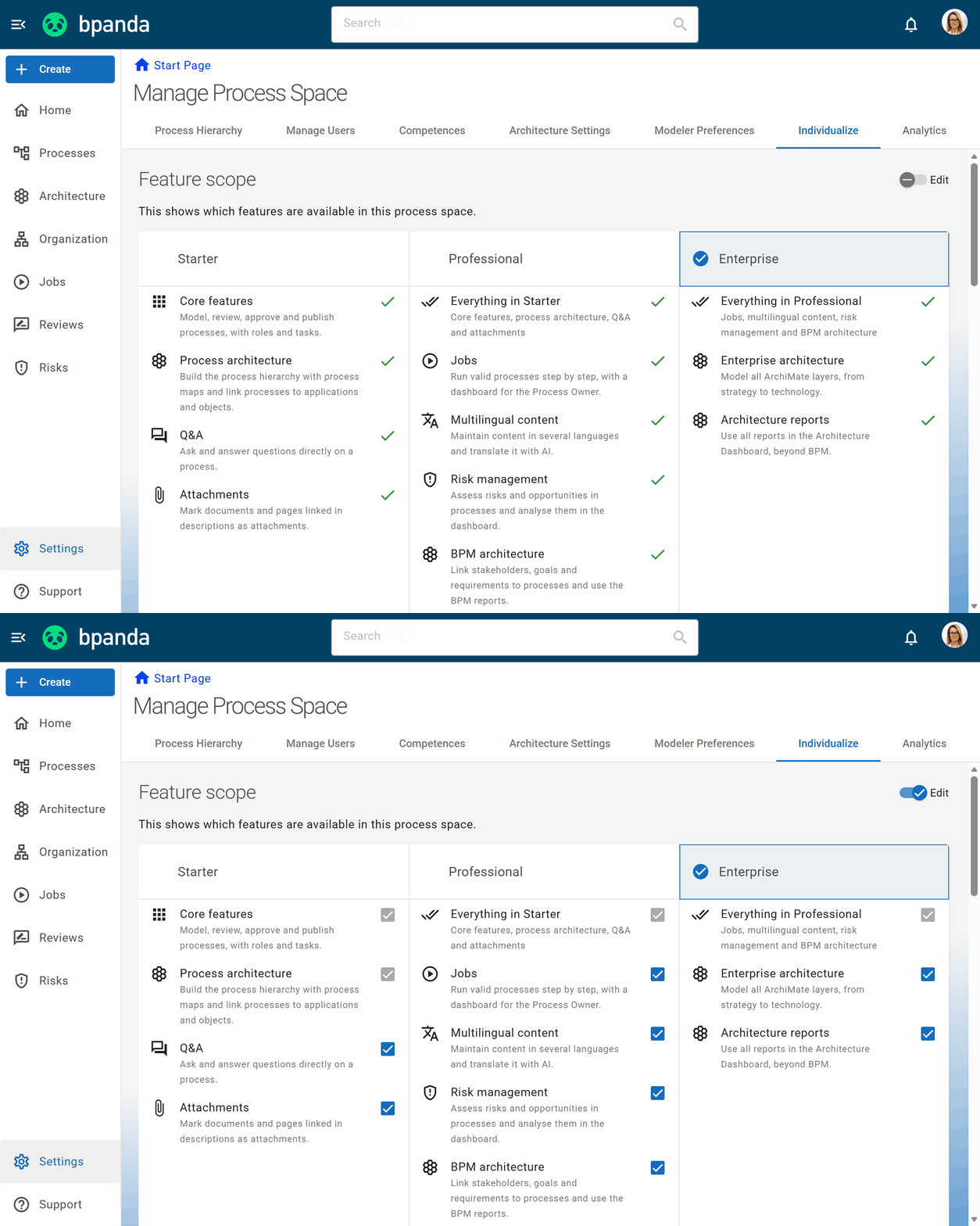
As a BPM manager, you now decide which features are available in your process space. Under “Manage process space” on the “Customize” tab, you can enable or hide individual features. Hidden features disappear from the menu for all Bpanda users in your process space, so your team only sees what it really needs. We have also merged the previously separate “Feature scope” and “Feature customization” areas. You now control all features, including Q&A and attachments, in one place. You can also make these settings as an account manager, provided you are also a BPM manager in the process space.
Integration: Bpanda API with a unified path & new endpoints
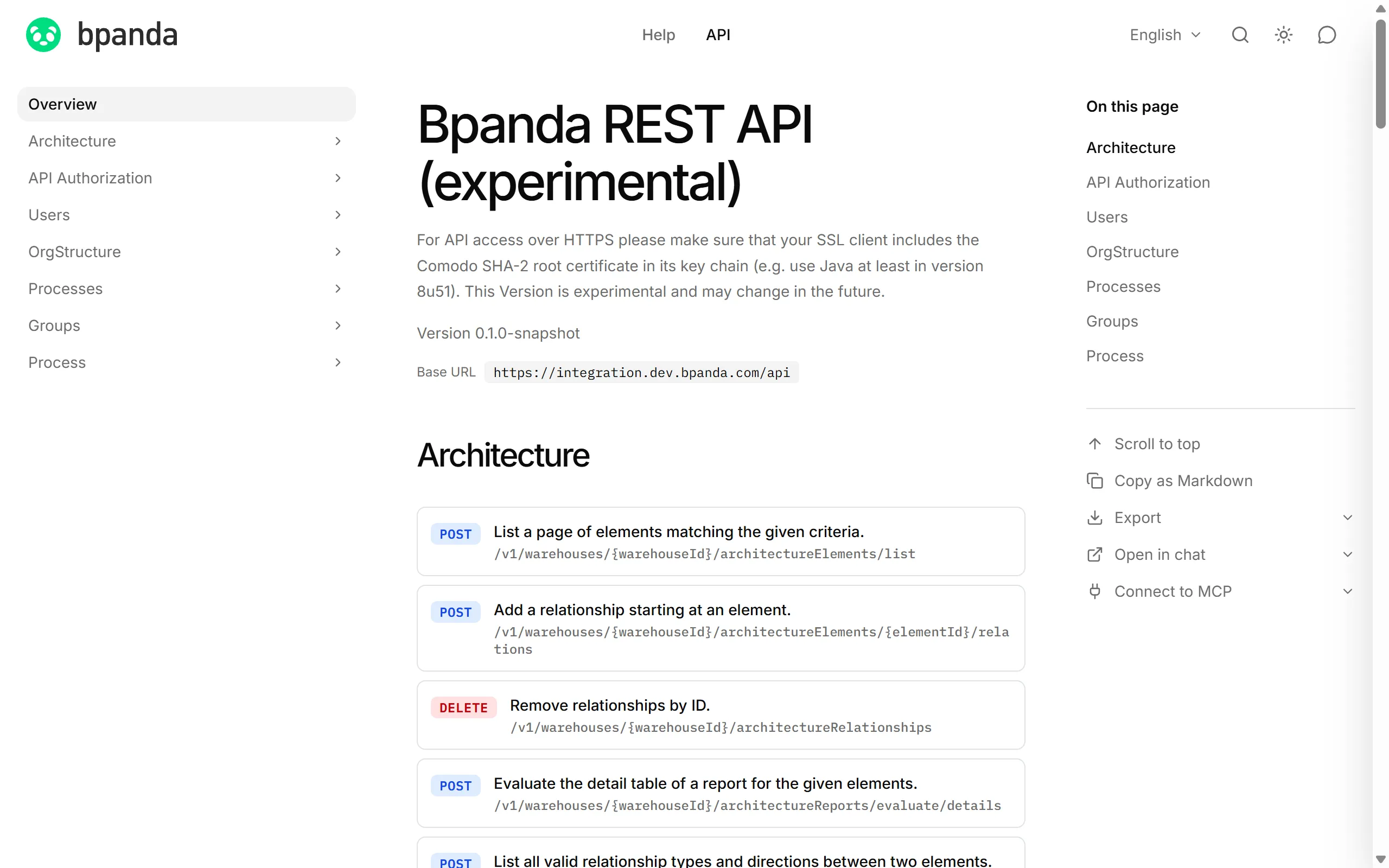
You can now reach the Bpanda API via a unified path. Instead of using a separate API subdomain, you now call it directly via your usual instance name, followed by “/api”. For you, this means that additional certificates for a separate API subdomain are no longer needed. We have also added new endpoints to the API and improved existing ones. You’ll find all endpoints and examples in the updated API documentation. Learn more in the Bpanda API reference.
Integration: Transfer processes with the Bpanda Innovator Connector
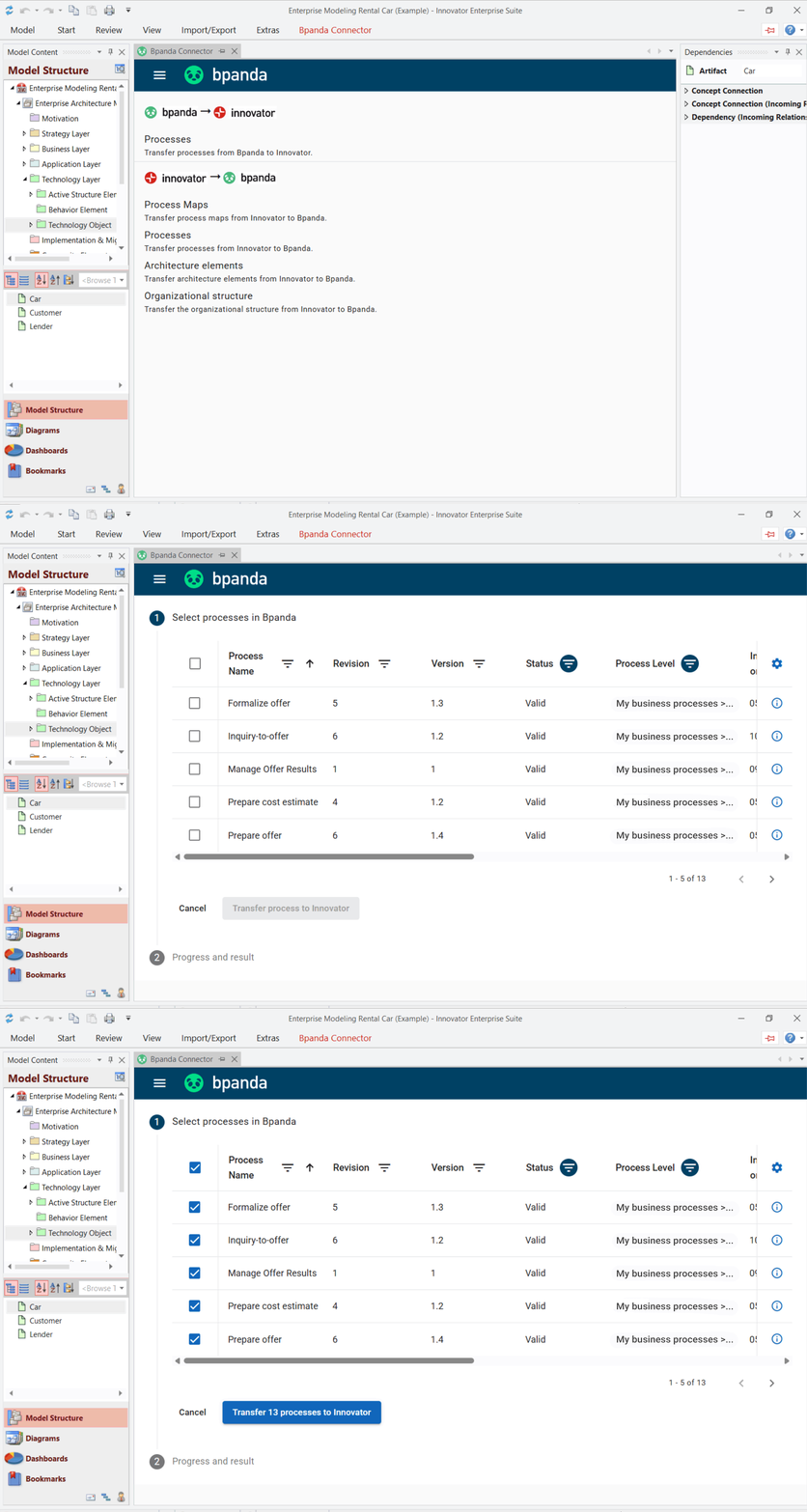
Until now, the Connector essentially only transferred the BPMN model from Bpanda to Innovator, and Innovator could not apply updates. From now on, you can transfer roles, responsibilities and ArchiMate® relationships in addition to the process model. You can select several processes at once and transfer them in a single step. To transfer only the relevant processes, you filter in Innovator by status, revision, version and subarea. For example, you can pull all valid revisions from a specific area into your Innovator model. If an error occurs with a single process, the remaining processes are still transferred.
The new transfer is also available in Innovator with the latest Bpanda Innovator Connector update.
Bug fixes & improvements
We have also made a few small improvements and fixed a few small bugs which customers found in this release.
Need more space for your process diagrams, maps or lists? Simply collapse the left menu bar to make more room for your content. You can expand it again at any time with one click.
When you move your mouse over your Process Map, a process preview now opens only after a brief moment. This means preview windows no longer keep popping up as you move across the map. If you pause on a process for a moment, you’ll see the preview as usual.
You can now see at a glance whether a page is missing, you lack a permission or a service is down, and what you can do about it. If there’s an outage, you can contact support directly from the error page, and the information they need to follow up is already included.
We now announce scheduled maintenance 72 hours in advance instead of 24 hours as before. This gives you time to prepare and plan important work accordingly. You can also find all maintenance windows on our status page, where you can subscribe to updates.
In some cases, process owners were not displayed or not applied correctly. We have fixed this.
“Manage processes” now loads faster. Key figures are calculated centrally, so you no longer have to wait long for your overview.
You can once again set today as the deadline for Jobs. This was not possible recently.