

Attachments:
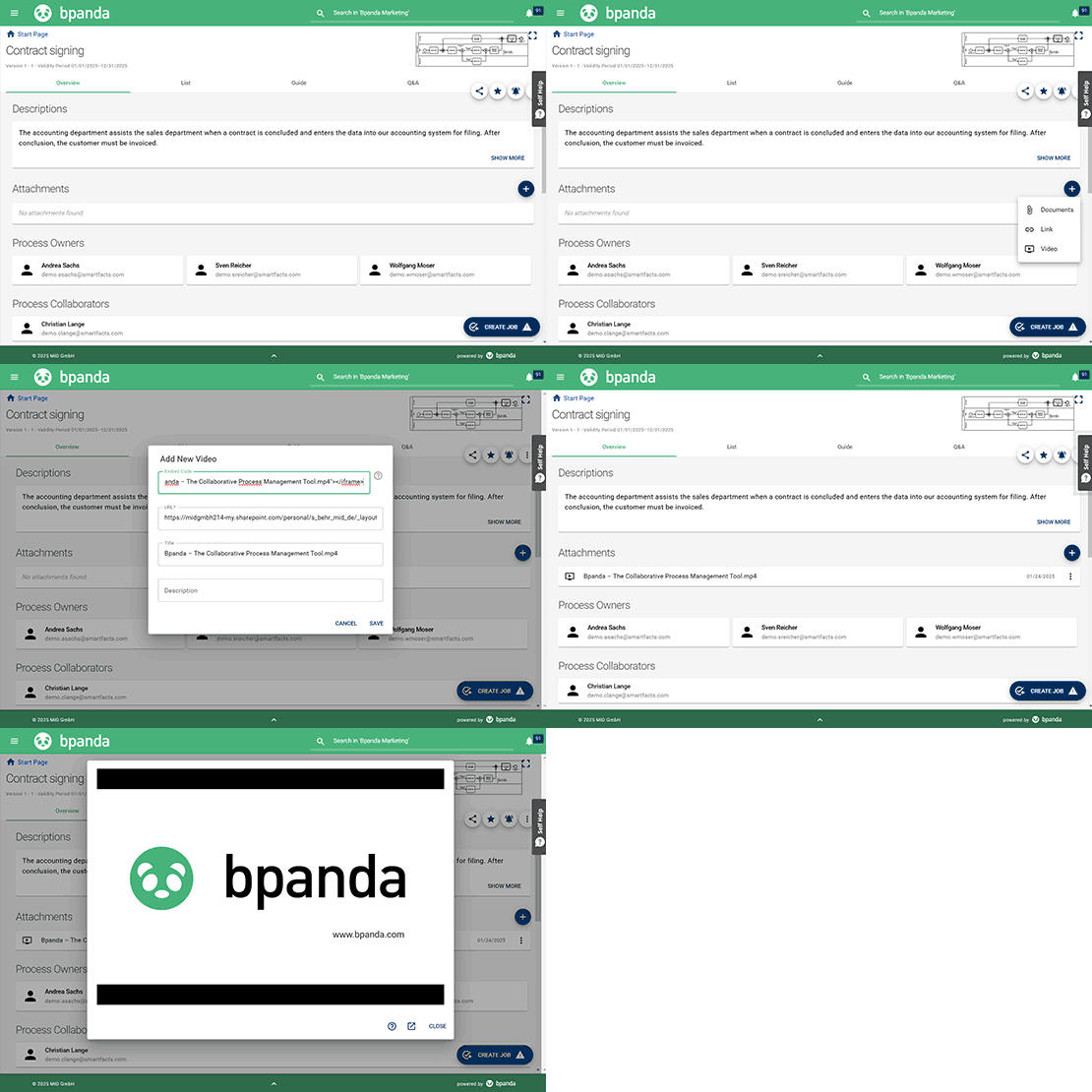
Integrate Microsoft Streams & SharePoint Videos
Our January 29 release brings with it enhancements to video attachments in Bpanda. You can now also use an embedding code to attach videos in Bpanda, as well as the usual URL. This means that you can now attach Microsoft Streams and SharePoint videos to your processes and process steps in Bpanda. This enables you to integrate explanations or process guides which you recorded in your company’s Microsoft environment directly into Bpanda and no longer need to use external video platforms such as YouTube.
Important: You need to be logged-in to SharePoint/Microsoft and enable third-party cookies there so that the video can play directly in Bpanda. You need to fulfill the prerequisites required by SSO for Microsoft if you use this within your company.
Performance Improvements for Bpanda
This release also sees performance improvements to many functions in Bpanda. Our busy team of developers are always working to ensure Bpanda runs smoothly. Bpanda is almost ready to showcase its exciting new functions and the improvement to details in existing functions. So you can already look forward to the next releases! Sign up for our Bpanda newsletter here if you haven’t already.
Bug fixes & improvements
We have also fixed a few small bugs which customers found in this release.
If you had CAMP open in a small window, then some tables were not shown responsively; this didn’t look very nice. This display problem has now been fixed. All tables in CAMP have now been optimized for a responsive display.
The “Process Times for Completed Jobs” tile in the Jobs dashboard did not show a graphic, even if the information was available. This display issue has now been fixed and you can now see the process time graphic if the information for completed jobs is available in your process space.