

Free
Bpanda Demo Video
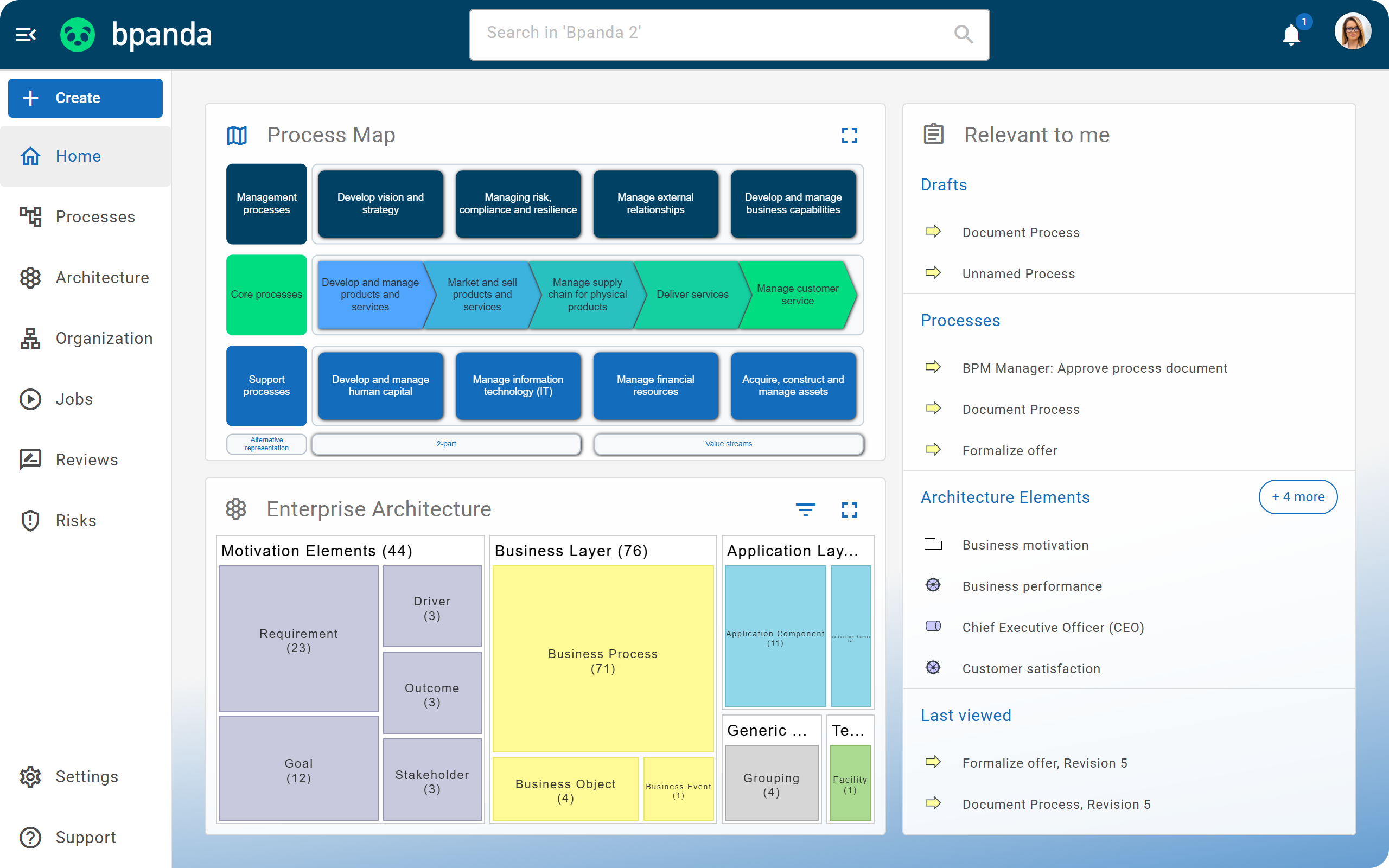
Get a first impression without an appointment and at your own pace.
Afterwards, you can better judge whether Bpanda is right for your company.
More than 100,000 users worldwide work with Bpanda



















































































What to expect in the video
Bpanda comes in three plans with different features. We have created a separate demo video for each one, so you see exactly the features that interest you.
00:00
Welcome to Bpanda Starter
What Bpanda is and what to expect in the Starter plan.
02:07
Start page and search
Process Map, full-text search and favorites for a quick start.
04:35
Process Overview
All process information, the process Guide and Q&A right on the process.
06:24
Process Hierarchy and Process Maps
Organize your process architecture in levels and design maps together.
08:16
Capturing processes as text and with a BPMN diagram
Text description, Happy Path editor and BPMN Modeler working together.
11:14
Publishing processes
The approval workflow with review and notifications for everyone involved.
13:47
Managing processes
Dashboard and actions for BPM managers and process owners.
15:16
Organization and processes
Create organizational units and roles and link them to processes.
16:58
Applications
Link processes to the IT that supports them and identify dependencies.
18:44
Customization
Set up corporate colors, logo and modeling conventions.
19:41
Contact and free Trial
How to reach our team and get your free company trial account.
00:00
Welcome to Bpanda Professional
What the Professional plan adds to the Starter plan.
01:58
Multilingual content and AI-assisted translation
Provide content in 19 languages and translate it with AI directly in the Chrome browser.
03:59
Bringing processes to life with Jobs
Start jobs, hand over tasks and analyze actual lead times.
06:16
Risk management
Assess risks and opportunities, define controls and track them in the dashboard.
08:30
Process-related reports
Scoring by digitalization and AI potential, plus GDPR analysis.
10:06
BPM architecture
Ziele und Anforderungen, etwa aus der ISO 9001, mit Prozessen verbinden.
11:36
Contact and free Trial
How to reach our team and get your free company trial account.
00:00
Welcome to Bpanda Enterprise
What the Enterprise plan adds to the Professional plan.
01:36
Enterprise architecture with ArchiMate®
The ArchiMate® layers and how your processes become part of the architecture.
03:04
Tailoring the architecture
Activate specific layers and element types for your process space.
04:02
Importing your existing architecture with ArchiMate® XML
Import architecture models from other tools and export them again.
05:11
From goal to technology
An end-to-end example from business goal to data center.
06:26
Reports and integration
Architecture dashboard, quality reports and integration via the Bpanda API.
07:45
Contact and free trial
How to reach our team and get your free company trial account.
Award-winning BPM software
in the category
“Process-oriented reorganization, process optimization”
together with DATEV

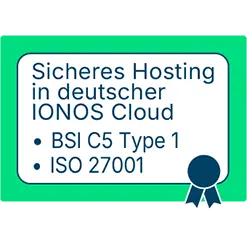
GDPR-compliant hosting in Germany
certified data center of a German data center operator with
ISO 27001, ISO 50001, ISAE 3000 & BSI C5
certification

What companies that work with Bpanda say
DATEV eG

„We use Bpanda to keep our workflows and responsibilities clear and transparent. It helps our process owners effectively design and continuously improve their business processes. We love how lightweight and intuitive it is.“
Clientis AG
“Process management is an important topic for the consulting company, Clientis; especially in this day and age when companies are confronted by challenges such as “digitalization, optimization and transparency”. Bpanda helps us to easily convey our process knowledge to customers. We are also able to collaborate together to efficiently share our expertise with our customers and establish a central process concept for customers.”
BNP Paribas Real Estate
„Bpanda is our number one process portal. We were completely bowled over by the intuitive handling and all our users gave it a big thumbs up. Using Innovator (another product from the tool family), we can use the full potential of our process documentation. Collaboration helps us to share our knowledge efficiently and concisely with our employees.“
“Our aim is to use Bpanda to make our process management more professional. Bpanda and MID GmbH have given us the perfect tool for our arsenal and the knowledge with how to use it to significantly improve quality and acceptance of process management.“
“Bpanda is a super lightweight process management tool which provides us with the support we require to provide services to our customers. We particularly like the quick and easy documentation and the new feature “Jobs”. This enables those involved in selected processes to actively implement and embrace them. We have improved our transparency and collaboration between teams and also seen an increase in productivity. Bpanda helps to free up money in the administration, allowing us to donate more money to countries with persecuted Christians.”
Questions about the demo video
If you want to see the full range of features, choose Enterprise. This gives you access to all three videos, from process documentation to enterprise architecture. If you mainly want to document and approve processes, the Starter video is enough. The overview above shows the chapters of each video.
Yes, your selection gives you access to all videos included in that plan. If you choose Enterprise, you can watch all three videos. With Professional, you get the Starter and Professional videos. With Starter, you only see the Starter video. To watch the others, simply fill out the form again.
The video starts right away on the next page, so you can watch it immediately. If you have any questions afterwards, Susi from our sales team will get in touch with you.
No. Each video is divided into chapters, so you can jump straight to specific topics and pause at any time.
Yes. Simply fill out the form again to go straight back to the video, or save the YouTube link.
In the video, you see Bpanda in action with prepared examples. With the trial account, you work in the tool yourself for 30 days, with up to five people and your own processes. Many people watch the video first and then start the trial.